7 Best Incident Management Software Tools for DevOps Teams (2026)
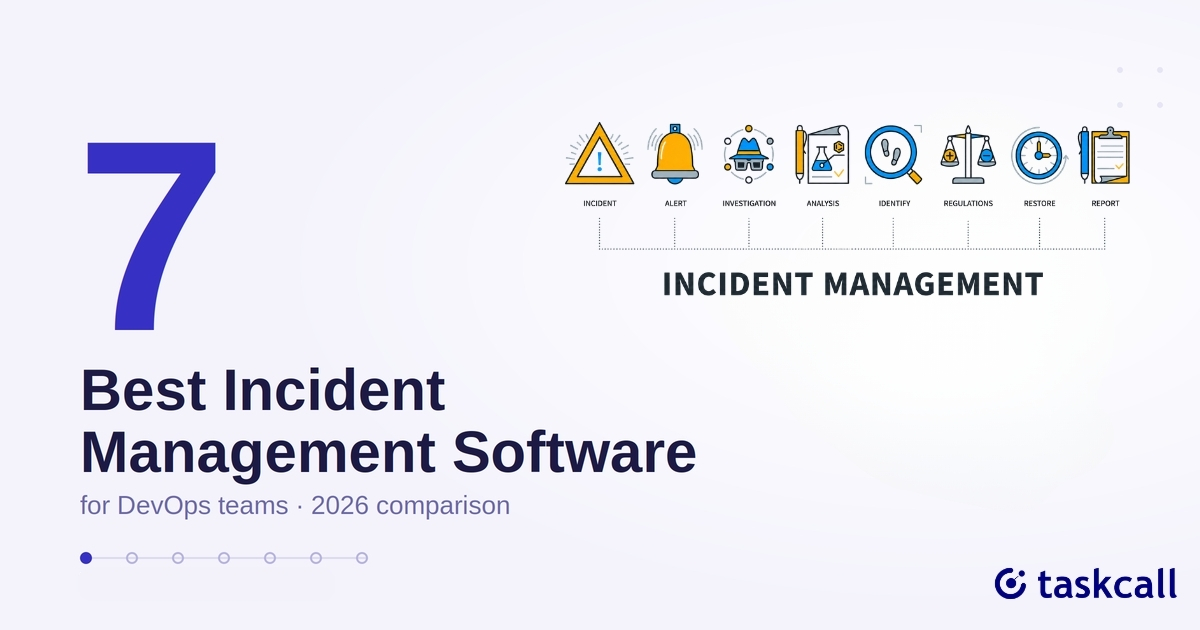
When something breaks at 2am, the software that decides who gets woken up is doing a job nothing else in your stack does. Incident management platforms route alerts, run on-call schedules, coordinate the response, and keep a record of what happened. Pricing and feature coverage across the category have shifted a lot in the past two years, and the distance between the established names and the newer ones has closed.
We compared seven platforms on published pricing and on what users report after living with them. TaskCall is one of the seven, and its weaknesses are listed alongside everyone else's.
What to Look For in Incident Management Software
Six things separate a platform that holds up from one that demos well.
On-call scheduling and escalation policies: Every tool here competes on this. Rotations have to survive holiday coverage, time zone splits, mid-rotation swaps, and escalation across multiple levels so an unacknowledged alert doesn't sit unattended. Where tools fall down is usually the editing. Overrides and swaps that are fiddly enough to introduce a mistake into a live schedule are the mistakes you find out about at the worst possible time.
Multi-channel alerting and reliability: A single channel isn't reliable enough to bet an outage on. Every tool worth considering delivers over phone, SMS, and push at minimum, and escalates to the next channel when the first goes unacknowledged. This is the part of the product teams are really paying for, so the delivery track record deserves more scrutiny than the feature list.
Integrations with your existing stack: Incident management software sits in the middle of your toolchain. It has to pull alerts from your monitoring tools(Datadog, Grafana, Prometheus, CloudWatch) and push updates to wherever your team already talks(Slack, Microsoft Teams). Library depth stops being an abstraction the moment your stack includes something unusual.
AI-assisted diagnostics: Several tools here now use AI to surface likely root causes as an incident fires, pulling related signals across your services so engineers don't start from a blank dashboard. Quality varies widely between vendors. Test it against a real incident during a trial.
Pricing and free tier availability: The category splits sharply here. Some platforms charge enterprise rates from the first seat. Others run a free tier a small team can sit on indefinitely. Check what a vendor means by "free," since some free plans expire after two weeks. For a small team formalizing on-call for the first time, this decides more than any feature comparison will.
Security and compliance reporting: For regulated industries and larger organizations, audit trails matter as much as the alerting. Being able to show who was notified, when, whether they acknowledged, and what they did next turns incident response into something you can report on.
Here's how the seven compare.
1. PagerDuty
Best for: enterprises already standardized on it
The oldest name in the category, and its reputation rests on reliability. Long-time users on G2 describe going years without a missed alert.
The cost shows up after the page. Once you're inside an incident, PagerDuty hands you to a separate chat tool, a separate status page, and separate postmortem software, leaving you to stitch four tools together. One thread comparing it against alternatives called it "the Jenkins of incident management," and the fragmented-tooling complaint recurs throughout that discussion. Pricing draws a similar pattern of comments. Reviewers on AWS Marketplace report costs climbing sharply past small team sizes, with more than one team capping who got access to control the bill.
| Pros | Cons |
|---|---|
| Reliable core alerting | Expensive at scale |
| Deep integration library | Incident workflow is fragmented across multiple tools once the alert fires |
Starting at $21/user/month(full pricing and plans on Capterra)
2. TaskCall
Best for: teams that want the full incident management stack without paying enterprise prices for it
TaskCall covers most of the ground the bigger names do at a lower price point. Multi-level on-call scheduling with automatic escalation, incident response with built-in postmortems, AIOps-driven root cause diagnostics, and live call routing with IVR are all part of the base product, and the free tier has no expiry date. One engineer who moved off Opsgenie to cut costs said on Reddit that it handles the standard on-call and alerting work without the "obnoxious enterprise markup." A team running HaloITSM described, in a separate thread, wiring TaskCall in as their on-call and incident layer, syncing it with Halo for ticketing and monitoring Azure alerts, with no custom development needed.
What TaskCall lacks is scale. It's a smaller, newer company than PagerDuty or xMatters, without the same decade of integrations or the enterprise sales apparatus. If your stack includes something unusual, check that TaskCall covers it before committing.
| Pros | Cons |
|---|---|
| Free tier with no expiry date | Integration library still growing compared to category veterans |
| Call routing, AIOps, postmortems, and on-call included in the base product |
Free tier available; paid plans start at $9/user/month
3. Opsgenie
Best for: teams already committed to the Atlassian ecosystem, for now
Opsgenie sold on fitting into a stack teams already had. It works closely with Jira and Confluence, which made it an easy internal sell for anyone inside the Atlassian ecosystem. One person explained exactly this logic in a thread comparing it to PagerDuty: management liked that it fit the existing stack without a fight.
That fit stopped mattering once the shutdown was announced. Atlassian confirmed Opsgenie's retirement for April 2027. Even reviewers who stayed with it call it "simplistic and basic compared to PagerDuty" for what it costs, with schedule overrides during holidays a recurring headache. The decision has effectively been made for anyone still on it, and what replaces it is something a live conversation across DevOps and SRE communities is working out right now.
| Pros | Cons |
|---|---|
| Deep Jira and Confluence integration | Being discontinued, April 2027 |
| Cheaper than PagerDuty | Clunkier interface than competitors |
| Overrides and rotation edge cases cause real friction |
Migrating off Opsgenie? See how TaskCall compares as a replacement →
4. xMatters
Best for: enterprises needing deep automation and audit-heavy compliance workflows
xMatters, now part of Everbridge, is the automation heavyweight here. The no-code flow designer can chain an entire response together without anyone writing code: open a ticket, spin up a Slack war room, page the right responder. Teams that invest in that depth report audit prep dropping from a full day to an afternoon, since the platform logs every notification and escalation as it happens.
That power costs more than the license fee. Getting a workflow properly configured takes real time, with teams describing several rounds of trial and error before it clicks, and per-message billing catching more than one team off guard once volume picked up. Experienced users find basic navigation slower than it should be, with something as simple as locating a script buried several clicks deep in the workflow canvas.
| Pros | Cons |
|---|---|
| Powerful no-code automation and escalation logic | Steep learning curve, especially for complex workflows |
| Strong audit trail and compliance reporting | Pricing scales quickly, including per-message charges |
Free tier available (up to 10 users); paid plans start at $9/user/month and scale to $39/user/month depending on tier, with a custom-quote Enterprise tier above that(full pricing on Capterra)
Want xMatters' automation without the setup overhead? See how TaskCall compares →
5. incident.io
Best for: Slack-native teams that want incident response, on-call, and status pages in one tool
incident.io sells consolidation and mostly delivers it. Teams that switch tend to collapse three or four separate tools into one, with one company citing the elimination of three other vendors after moving everything across. The same pattern appears among people leaving PagerDuty. In the thread mentioned above, engineers who spent years juggling a chat tool, a status page, and separate postmortem software describe the switch as finally working from one place.
incident.io is opinionated by design. It wants you to work its way, and teams with older or looser processes will feel that friction more than they would with a flexible tool. Pricing has a similar shape to the xMatters complaint in a different form: per-responder licensing suits teams who use it constantly and gets awkward for anyone with a lot of occasional or rotating responders.
One thing to know before reading opinions yourself. incident.io is active in the same communities people turn to for honest comparisons, including at least one account that discloses working there, which other commenters in that thread flagged directly. Weight those threads accordingly.
| Pros | Cons |
|---|---|
| Deep Slack-native workflow, replaces 3-4 separate tools | Opinionated process, more friction if your workflows are outdated |
| Consistently high user satisfaction (4.8/5 on G2) | Per-responder pricing gets awkward with occasional users |
Starting around $15 to $25/user/month depending on tier(pricing details on G2)
Want incident.io's consolidation without the premium price tag? See how TaskCall compares →
6. AlertOps
Best for: budget-conscious teams that still need serious integration depth
AlertOps built its reputation on being the cheaper capable option. Capterra pricing data puts it at $8/user/month, well below the $16 to $19 starting range of its closest competitors, and reviewers back that up. One Capterra reviewer called it "much more affordable than other available software" while still getting the phone, SMS, and Slack depth that pricier tools charge more for.
The complaints are about polish. Reviewers on Software Advice describe the interface as hard to navigate, particularly around managing on-call rosters, where adding or removing someone "seems to recalculate everything" and forces a full check of the schedule afterward. Billing clarity draws frustration too. One reviewer described the pricing structure as confusing, said support emails asking for clarification went unanswered, and got locked out of their account the moment their trial ended, needing a support ticket just to pay. Several people on G2 find the ticketing workflow less intuitive than competitors, though the core alerting scores well.
| Pros | Cons |
|---|---|
| Lower starting price than most competitors | Interface can be confusing, especially schedule and roster management |
| Deep integration ecosystem (200+ integrations) | Billing and trial-to-paid transition draws real complaints |
Starting at $8/user/month(full pricing on Capterra)
Want AlertOps' integration depth without the billing headaches? See how TaskCall compares →
7. Rootly
Best for: teams that want Slack-native workflows without PagerDuty's price tag
Rootly's pitch shows up almost word for word every time someone recommends it. On Reddit, engineers who switched from PagerDuty describe it as reasonably priced and reliable, with an easy import from Opsgenie and, in one person's words, "no regrats yet." That pattern holds on G2, where reviewers point to the Slack integration and responsive support as the reasons they stayed, and one describes incidents that "route themselves" once workflows and fields are configured.
Customization comes with a setup tax. G2 reviewers describe advanced configuration as complex, with deeper customizations taking real trial and error and documentation gaps slowing down the more advanced workflows. One reviewer's complaint list came down to a single limit: being capped at one Slack channel per incident when their team occasionally needed more.
| Pros | Cons |
|---|---|
| Strong Slack-native workflow and responsive support | Advanced configuration has a real learning curve |
| Priced well against legacy competitors | Documentation gaps slow down building complex workflows |
Incident Response and On-Call are sold as separate products, each starting at $20/user/month, so running both together costs roughly $40/user/month combined. Enterprise tiers and the AI add-on are quote-only(full pricing on G2)
Want Rootly's Slack-native workflow at an even lower price point? See how TaskCall compares →
Pricing Comparison
Free tiers and starting prices vary more than the marketing pages suggest. Here's what each tool charges to get started.
| Tool | Starting Price | Free Tier |
|---|---|---|
| TaskCall | $9/user/month | Yes, no expiry date |
| AlertOps | $8/user/month | Limited, 5 users maximum |
| Rootly | $20/user/month per product (Incident Response and On-Call sold separately) | No free tier |
| incident.io | $15 to $25/user/month depending on tier | Basic tier, 5 users |
| xMatters | $9 to $39/user/month depending on tier | Yes, up to 10 users |
| PagerDuty | $21/user/month | No free tier |
| Opsgenie | Not applicable, being retired April 2027 | Not accepting new signups |
Why TaskCall
TaskCall covers the full incident management lifecycle in one platform, without the per-seat pricing most of the tools on this list charge.
On-call scheduling runs on multi-level rotations with automatic escalation, and handles holiday coverage and time zone splits without turning into a spreadsheet exercise. Alerts go out over phone, SMS, push, and email, failing over to the next channel when one goes unacknowledged.
Live call routing with IVR is part of the base product. Calls reach whoever is on call, with recorded voice message support. AIOps diagnostics pull related signals across services the moment an incident fires, so responders open with context. Postmortem tooling is tied to the incident timeline, so the write-up starts from the record instead of from memory.
Setting it up:Getting a first alert routed to a real phone takes about fifteen minutes.
- Invite your team into the account.
- Create an on-call routine covering who is on duty and when.
- Create an escalation policy and add that routine to it, so an unacknowledged alert moves to the next level.
- Create a service and attach the escalation policy. Incidents on that service now notify whoever the routine has on call.
- Connect your monitoring tool to the service, then trigger a test incident and confirm the notification lands.
Full walkthrough in the quick start guide.
The free tier has no expiry date. Paid plans start at $9/user/month.
See the full feature breakdown and start your free trial with TaskCall.
The Bottom Line
Seven tools, and no single winner for every team. PagerDuty and Opsgenie suit teams that want a stack-fit safety net, if the price tag and Opsgenie's shutdown date aren't dealbreakers. xMatters and incident.io hand you a lot of automation and consolidation up front, but both charge for it in setup time or per-seat pricing. AlertOps and Rootly compete hardest on price and Slack-native workflow, with real gaps in polish and documentation to weigh against that.
TaskCall sits in the middle: the on-call scheduling, escalation, live call routing, and postmortem tooling a bigger platform charges enterprise rates for, in a base plan that starts at $9/user/month, with a free tier that doesn't expire.
The fastest way to know if it fits your team is to run it against a real incident rather than a demo. Start a free trial → and connect one service, or check the full pricing breakdown → first if budget is what you're solving for.
FAQs
What is incident management software?
A platform that catches service outages and coordinates the response to them. It combines on-call scheduling, alerting, escalation, and postmortem documentation, so the right person gets notified immediately and the response is tracked in one place.
What is the best incident management software?
It depends on team size, budget, and what's already in your stack. The enterprise names lead on integration depth, and the Slack-native tools suit teams that already run everything through Slack. On price per feature, TaskCall is the strongest option here, and its free tier carries no expiry.
What is an incident?
Any unplanned event that disrupts or degrades a service, from a full outage to a partial slowdown. Incident management software exists to detect these quickly and route them to whoever can fix them.
Is there free incident management software?
Yes, though terms vary. Some tools offer a free tier usable at small scale, while others cap it at five users, which only stretches to very small teams. A few offer nothing free at all. TaskCall's free plan has no expiry date.
Is there open source incident management software?
Not among the tools compared here, which are all commercial SaaS. TaskCall's free tier closes most of that gap without the self-hosting overhead, since it covers what most people are after when they ask this question: running incident management without a licensing bill.
You may also like...
TaskCall is 50% cheaper than PagerDuty on all pricing plans and offers the same reliability and service commitment. Even the free tier is available for up to 10 users and offers a package of features tailored specifically for small teams.
Looking for OpsGenie alternatives as teams migrate in 2026? Discover the 7 best tools for incident management, alerting, and on-call scheduling. Learn more.