Incident Management Automation: A Complete Implementation Guide
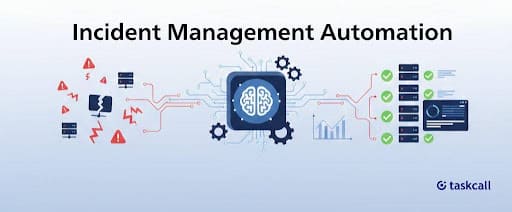
When incidents strike, every second counts. And manual processes simply can't keep up. Incident management automation transforms chaotic firefighting into a fast, structured and repeatable response by automatically detecting issues, alerting the right teams and guiding resolution workflows in real time.
Learn how incident management automation works, why modern teams are rapidly adopting it and how to implement it step by step to reduce downtime, minimize human error and keep your system resilient in 2026 and beyond.
What Incident Management Automation Actually Does
AI-driven procedures that operate continually take the place of tedious manual activities in incident management automation. Automated solutions perform these tasks in a matter of seconds rather than requiring an engineer to manually correlate warnings, review system logs and carry out remediation procedures.
Three steps comprise the automation pipeline's operation:
- Continuous monitoring correlates similar alarms and directs them to the relevant team for detection and triage. AI-powered correlation distinguishes between real occurrences and noise when your monitoring tools produce 500 alarms during a system upgrade.
- Response and containment carry out predetermined activities right away. This can involve rolling back troublesome deployments, scaling resources, isolating impacted systems or initiating failover protocols. Instead of taking minutes or hours to occur, these actions take place within seconds of discovery.
- System restoration is automated, event timeframes are recorded and performance data are gathered through recovery and reporting. Complete incident records are obtained without the need for human data entry.
Timing is the main distinction from conventional incident management. When using manual methods, someone must recognize the warning, look into the problem, decide on the best course of action, and carry it out. Before a person could finish reading the initial alert, automated systems finish this sequence.
Why Manual Incident Response Fails at Scale
Every day, endpoints, cloud workloads, network sensors and application monitors send thousands of alarms to the typical SOC team. When managing distributed systems, microservices and hybrid cloud settings, manual inquiry across several vendor tools and dependencies is not scalable.
81% of teams experience reaction delays due to manual investigation, according to IBM's Global Security Operations Center Study (March 2023). These delays have a direct negative impact on key performance metrics.
Speed improvements are substantial. Automation reduces Mean Time to Resolution (MTTR) by 40-60% for organizations. Events that used to take hours to investigate and coordinate are now resolved in a matter of minutes.
Accuracy drops under pressure. High-stress situations increase the likelihood of human error. Automated processes, by contrast, perform the same tasks consistently and follow defined procedures without deviation.
Cost reduction comes from multiple sources. Reduced downtime results from quicker incident resolution. You lose money when your systems are down. In addition to avoiding direct revenue loss, you are also keeping teams from losing productivity while they wait for systems to be restored.
Team burnout decreases. Due to monotonous work and ongoing alert fatigue, 69% of incident responders suffer from burnout . Routine events are handled by automation, freeing up your staff to concentrate on more complicated issues that truly call for human judgment.
24/7 coverage becomes practical. Automated systems regularly identify and address problems. When the system can take care of the initial reaction on its own, you do not need someone watching dashboards at three in the morning.
The impact on company goes beyond IT operations. When incidents are resolved more quickly, customers notice. Instead of fighting fires, your team may devote more time to strategic projects. Long-term outages reduce revenue loss.
See how with TaskCall, automated incident response enhances your MTTR without requiring you to modify your current tools by starting your free trial .
Which Incidents Should You Automate?
Time-critical problems necessitate prompt action due to their direct impact on customers. This includes API gateway problems, authentication service outages and payment processing errors during periods of excessive traffic. The impact on customers and revenue loss increases with each minute of delay.
Automation is best suited for simple situations with known resolution paths. Predictable patterns can be seen in printer connectivity problems, password resets, database connection pool exhaustion and service restart requirements. Despite being typical, these accidents take up a lot of team time.
Hybrid techniques are necessary for complex occurrences. Database cluster failures with configuration drift, cascading failures across microservices, and events requiring multi-team collaboration (network engineers, developers, DBAs) all benefit from automation managing mundane elements while keeping people informed for crucial decisions.
The automation rule states that routine and predictable incident response tasks should be automated. When making important decisions that have an impact on customers or vital systems, involve people. While your team concentrates on making decisions, automation should take care of the mechanical aspects, such as alert correlation, data collection, and initial containment.
Essential Components Your Automation System Needs
AI-powered alert correlation in real-time monitoring and intelligent alerting reduces noise. Threshold-based alerting avoids alert fatigue, while machine learning eliminates false positives. Instead of thousands of redundant notifications, your team receives actionable alerts.
Based on the impact on the company, automated triage and prioritization determine severity. The system uses the ITIL framework, where urgency is multiplied by impact, to assign priority and route incidents to the appropriate teams. For example, a full-service outage is assigned a higher priority than a database connection issue.
Teams can have centralized visibility thanks to incident tracking and collaboration solutions . Accountability is maintained by real-time task tracking. Everyone is informed without context switching thanks to integration with Slack, Microsoft Teams and other communication channels.
Runbooks and automation tools specify how the system handles particular kinds of incidents. Automated remediation scripts are carried out by predefined playbooks. Customers are updated without the need for manual status page updates thanks to self-service stakeholder communication updates.
Documentation and solutions are easily accessible through knowledge base integration . Recurring problems are monitored by a Known Error Database (KEDB). Pattern recognition for averting future incidents is made possible by historical incident data.
How to Implement Automation Without Breaking Things?
Implementation follows six practical steps:
Step 1: Record your baseline. Draw a map of the incident management procedures in use today. Calculate the resolution times, mean time to detect MTTD and baseline MTTR. Determine which manual tasks take the longest. This data emphasizes fast wins and later demonstrates ROI.
Step 2: Start small and scale gradually. Start with simple, frequent situations. Prioritize enrichment and intelligent alert routing. These modifications offer minimum risk and instant value. Once the foundation has been validated, go on to automated remediation.
Step 3: Establish your automation plan. Make a thorough incident response strategy that outlines the proper handling of various incident types. Create playbooks for typical situations. Automation rules should be in line with engineering best practices and your SLAs.
Step 4: Integrate your technological stack. Link monitoring programs such as Grafana, Datadog, Prometheus and New Relic. Integrate ITSM platforms like Jira Service Management and ServiceNow. Connect status pages, Teams, Slack and other communication services.
Step 5: Test and improve. Before production deployment, do simulations of real-world scenarios. Examine the performance of automated actions in post-event reporting. Playbooks should be modified based on team input, as well as MTTD and MTTR metrics. Iteration makes automation better.
Step 6: Keep human supervision in place. Routine tasks are handled via automation. Humans are capable of solving difficult situations that call for judgment. Every quarter, review the escalation rules. Clearly define backup procedures in situations where automation should yield to human judgment.
Monitor resolution times, MTTD and MTTR over time. Keep an eye out for instances where automation fails or calls for human intervention. Your next automation opportunities are identified by these patterns.
Critical Features Your Automation Platform Needs
→ Automated escalations and real-time alerting guarantee that the appropriate parties are informed of incidents. Various incident kinds are supported via customizable workflows. Critical warnings are certain to be seen by responders thanks to multi-channel notifications via Slack, email, phone, and SMS. Live incident tracking for your whole infrastructure is possible with centralized dashboards.
→ Vendor lock-in is avoided through integration with current IT systems and monitoring tools. Continuous improvement is supported by reporting and post-incident review capabilities. Access control and role-based permissions uphold security.
→ AI-powered alert correlation, which significantly lowers noise, is one of the advanced features for 2026. Autonomous incident triage and diagnostics are handled by agentic AI. Post-mortem reports and status updates are written by generative AI. Predictive analytics stops problems before they affect users. Service catalogs are directly linked to automated runbook execution.
Four factors should be used to evaluate platforms: scalability with business development, flexibility for your particular workflows, accessibility throughout your organization and dependability during high-stress occurrences.
Start Automating Your Incident Response
By eliminating manual labor, incident management automation frees up your team to concentrate on intricate problem-solving that truly resolves events. Businesses that use automation track tangible gains, such as a 40-60% decrease in MTTR, a decrease in team burnout and an increase in customer satisfaction.
Start by identifying quick wins and recording your present procedures. Choose tools that work with your current stack instead of needing to be completely replaced. Investing in automated incident response helps you get ready for sophisticated infrastructure that is beyond the capabilities of manual operations.
No credit card is needed to begin your free TaskCall trial right now. Automate your response right away to avoid losing money due to downtime.
Learn why teams use TaskCall as the most cost-effective and all-inclusive incident management platform and receive round-the-clock assistance even with the free plan.
FAQs
What is automated incident management?
Automated incident management uses workflows, processes, triggers, and alerts to manage occurrences in real time, doing away with the need for human procedures when dealing with persistent issues.
What makes automated incident management crucial?
It offers a competitive edge, speeds up detection and resolution, lowers human error, gives teams the information they need, promotes transparent logging and reporting and lowers costs and damages.
Which phases make up the Incident Management Lifecycle?
Detection and reporting, triage and classification, investigation and diagnosis, response and resolution, closure and documentation, and post-event evaluation and improvement are all common components of the incident management lifecycle.
You may also like...
Learn 10 incident management best practices to reduce MTTR, improve response times, minimize downtime, and keep teams aligned during critical IT incidents.
Use incident management KPIs and metrics, such as MTTR, MTTA, and response times, to monitor what really matters to improve uptime, accountability, and expedite issue resolution.