AI Postmortem
A Postmortem is a detailed analysis of an incident that has occurred, typically conducted after the incident has been resolved. The purpose of a postmortem is to understand what happened, why it happened and how to prevent it from happening again.
TaskCall's AI-driven postmortem analysis capabilities use artificial intelligence to analyze incident data starting from the moment an incident is created to the moment it is resolved. It writes a detailed postmortem report with overview, cause of the incident, impact from that incident, the resolution steps that were taken to resolve the incident, what was handled well, what could have been done better and preventions from future occurences like these incidents to help teams learn from the incident and prevent future occurrences.
Postmortem AI is only available in the Digital Operations plan.
Create Postmortem
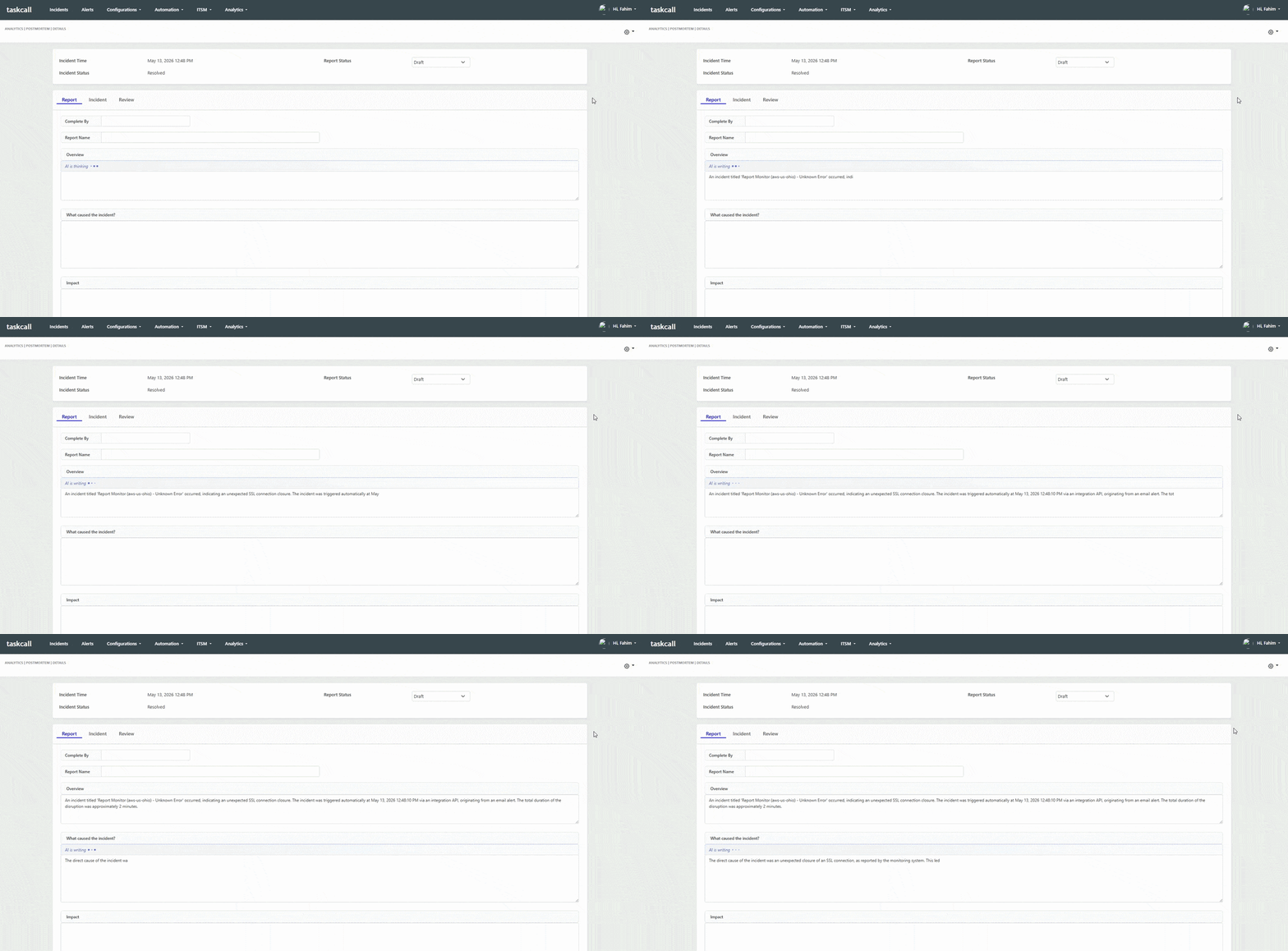
Postmortem can only be created after an incident is resolved. Once and incident is resolved, you will see "Create Postmortem" button on the incident details page. By clicking on that button, you can open the new Postmortem creation page. Here, you will see three tabs inside the page named Report, Incident and Review. You can fill up the relevant information regarding the incident in the Report tab. It has fields for the postmortem overview, cause of the incident, impact from that incident, the resolution steps that were taken to resolve the incident, what was handled well, what could have been done better and preventions from future occurences like these incidents. The Incident tab will show you the details of the incident that you are creating the postmortem for along with the entire incident timeline. Here you can choose if you want to include the incident timeline in the postmortem report or not. The timeline includes all the details of the incident such as the alerts, responders, actions taken and communications that happened during the incident response. The Review tab will show you the information about the reviewers and collaborators that you have added to the postmortem. You can also add review sessions to the postmortem in this tab.
If you have the Digital Operations plan, TaskCall's AI will automatically analyze the incident data and fill up the postmortem report for you. You can then review the report and make any necessary edits before finalizing it. You can also provide feedback on the accuracy of the AI's analysis to help improve its performance over time.
Save Postmortem
Once you are done filling up the postmortem report, you can save it. You can update the report status before saving the report. Sharing the postmortem will allow others in your team to learn from the incident and prevent future occurrences. You can also use the postmortem as a reference for similar incidents that may occur in the future.
Download Postmortem
You can download the postmortem report in the PDF format. You must ensure to save the report before downloading it. This postmortem PDF report can be useful for sharing the report with stakeholders who may not have access to TaskCall or for keeping a record of the incident and the lessons learned from it. The downloaded report will include all the information that you have filled up in the postmortem report along with the incident timeline if you choose to include it in the report.