
AppBeat Integration Guide
AppBeat is a web management system. It constantly monitors your websites and other online resources and notifies you if any of them is affected. With TaskCall's AppBeat integration these detected online failures can be made more prominent so you can stay aware of the incidents in real time and resolve them in the fastest possible manner.
Pointers
- The integration is between a TaskCall service and AppBeat.
- This integration only receives alerts in TaskCall from AppBeat.
In TaskCall
- Go to Configurations > Integrations and click New Integration.
- Select the AppBeat integration.
- Give the integration a name and configure how incidents will be created. Only the Default Service field is required. The rest are optional.
- Incidents (Optional)
- TaskCall automatically maps incoming payloads with internal attributes to create incidents. However, this can be customized in the Incidents tab. Constant values can be included alongside placeholders to dictate which attributes should map to the Incident Title, Description, Tags, Snapshots and Vendor URL. To insert a placeholder use double curly braces.
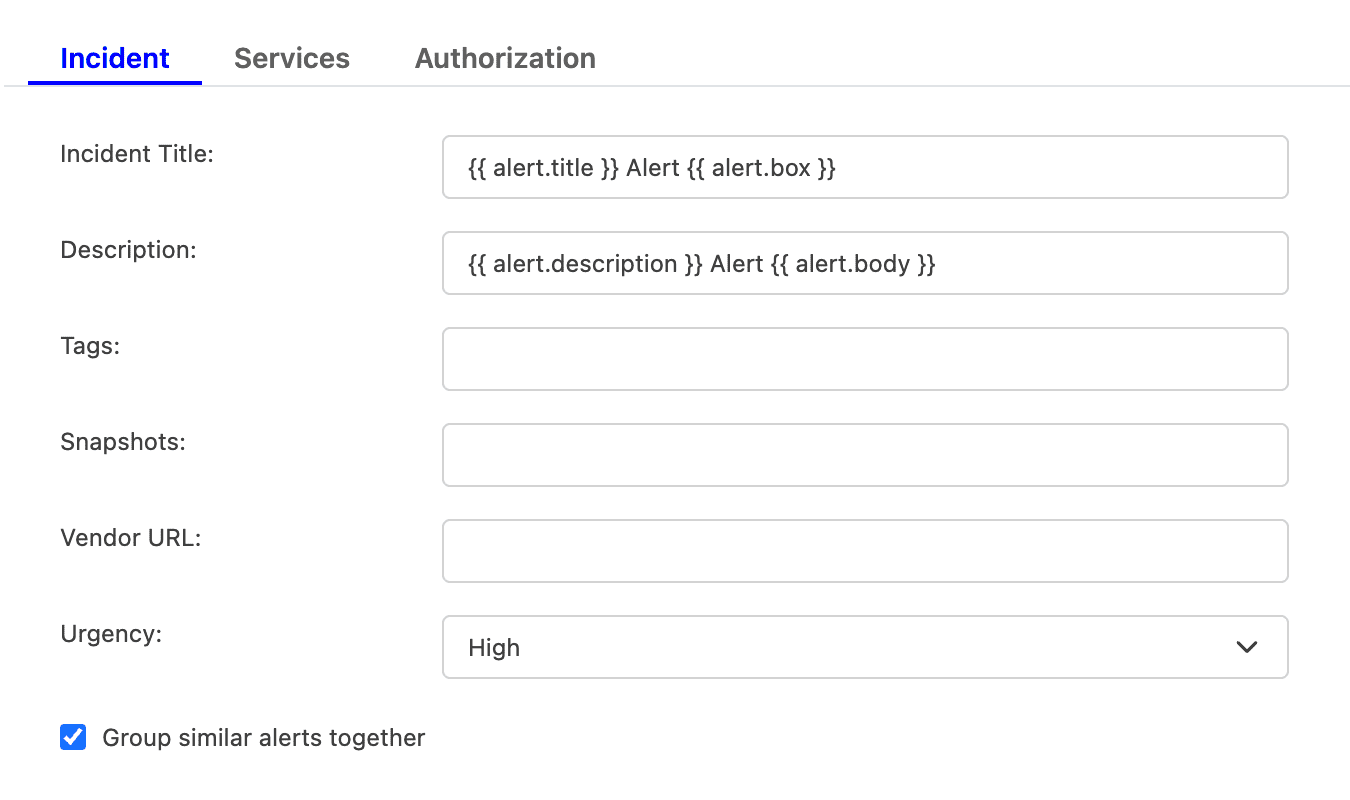
For example, if you enter {{ alert.title }} in the Incident Title field, TaskCall will look for an attribute called "title" nested inside another attribute called "alert" in the incoming payload. If the nested attribute exists, its corresponding value will be pulled from the payload and inserted. If the nested attribute does not resolve successfully, TaskCall will fall back to the default mapping.
If you are unsure, please leave the fields empty. TaskCall will use the default mapping to create the incident for you. - Select the Urgency level the incident should be created at.
- Select the option to Group similar alerts together if you would like follow up triggers from the same alert source to be grouped into the same incident. If you leave this option unchecked, then a new incident will be created for every trigger. (This behavior is specific to new triggers; not updates to an alert.)
- Click Next to move on to the Services tab.
- TaskCall automatically maps incoming payloads with internal attributes to create incidents. However, this can be customized in the Incidents tab. Constant values can be included alongside placeholders to dictate which attributes should map to the Incident Title, Description, Tags, Snapshots and Vendor URL. To insert a placeholder use double curly braces.
- Services (Required)
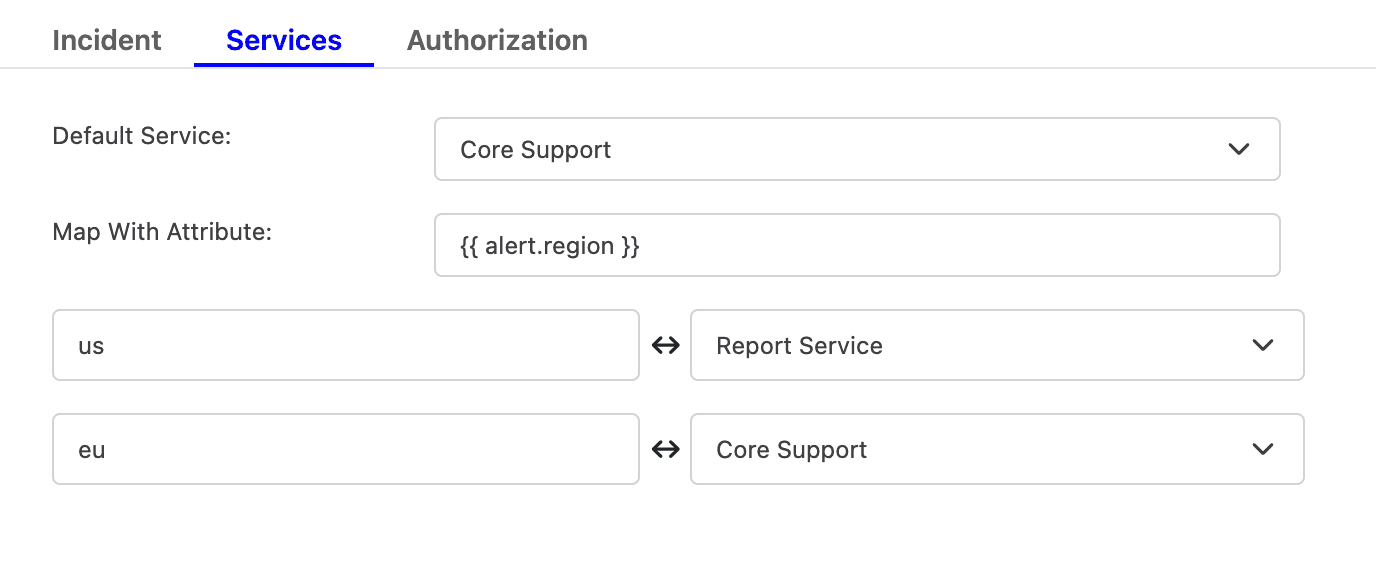
- Select the Default Service incidents should be sent to. To route incidents to different services instead, set Map With Attribute to the attribute to route by using a placeholder. Then, map each value it can take to the service that should receive it.
For example, to route by a region attribute sent in the payload, set Map With Attribute to {{ region }}, then map US to one service and EU to another, and so on.
- Click Next to move on to the Authorization tab.
- Select the Default Service incidents should be sent to. To route incidents to different services instead, set Map With Attribute to the attribute to route by using a placeholder. Then, map each value it can take to the service that should receive it.
- Authorization (Optional)
- The Authorization tab allows a Bearer Token and an IP Allowlist be added if you would like to restrict who is able to send alerts to this integration. If you are unsure, this can be skipped.
- Once done, click Save.
- Copy the Integration Url that is issued for the integration. This will be used to set up the notification in AppBeat.
In AppBeat
- Go to Alerting > Third-Party service integration > Add new integration > Dynamic Webhook.
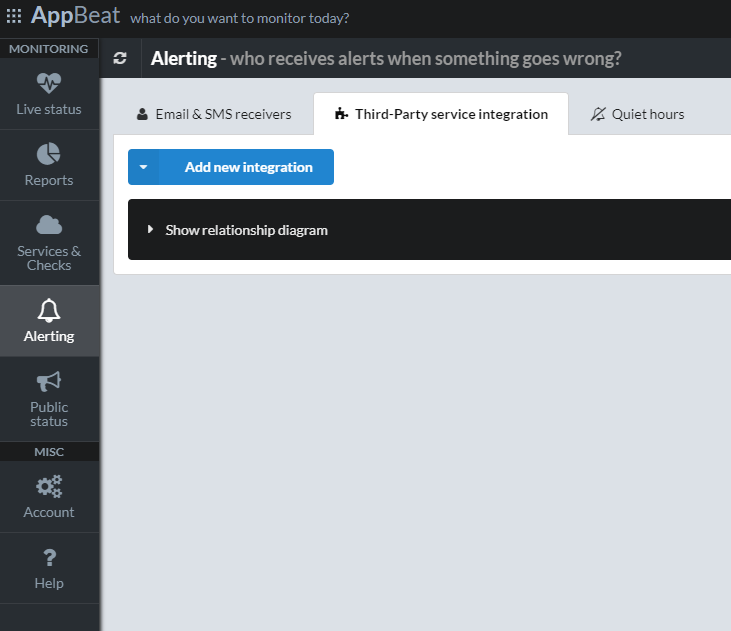
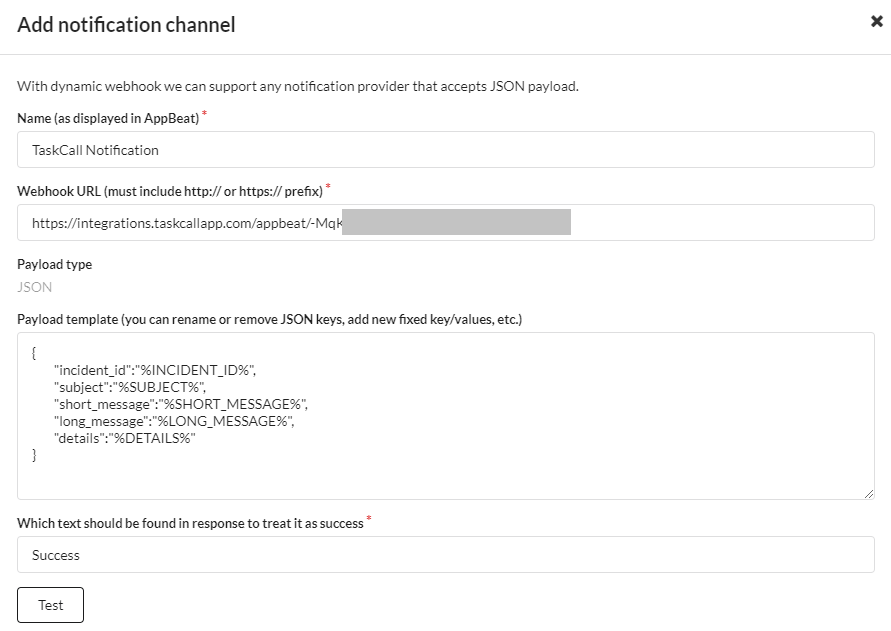
- This will bring up a Add Notification Channel modal. Give it a name. Paste the Integration Url you copied over from TaskCall. Leave the payload as it is, but in the last part where it says Which text should be found in response to treat it as success , enter the value Success. Then click Add.
Done! Now whenever AppBeat will detect an issue in your website and online resources your on-call responders will get notified immediately by TaskCall.