SMS Routing Set Up Guide
Sometimes it may not be possible to reach teams over the internet and protocols may restrict interaction to text based communication methods alone, leaving SMS as the only viable mode. SMS Routing then becomes essential for teams that handle critical incidents and events through SMS.
Incoming SMS are routed to on-call responders, connecting the sender with the appropriate channel of support immediately. All communication are logged and centralized through an incident that allows visibility across the team and enables them to be compliant with regulations. While on-call responders can reply back to the sender from TaskCall's web and mobile applications, they can also directly reply back by SMS as well.
SMS routing does not just act like a messaging application. It allows issues reported by SMS to be acted upon as a team with the powerful mechanism of incident response and mangement.
Pricing Plans
SMS Routing is available through the Live Call Routing Advanced add-on on the Starter and Business plans. It is available by default on Digital Operations plan.
Pointers
- The first incoming SMS from a number creates a new incident. Every followup SMS from that number will be associated with this incident until it is resolved. After the incident is resolved, the next SMS from that same number will create a new incident.
- Every incoming SMS is routed to the on-call responder(s) at the same time as it is logged to the corresponding incident. This routed SMS is dispatched in addition to any incident notification rules the on-call users have.
- SMS routing incorporating the incoming SMS from the sender, forwarding to on-call users and direct SMS reply from the user are all facilitated through the same number chosen upon initial conifguration setup.
- If a reply is made directly by SMS then the incident is automatically acknowledged by the replying user if the incident is not already acknowledged.
Set up SMS Routing
SMS routing in TaskCall is offered as an extension of its Live Call Routing feature.
- Follow the live call routing documentation to obtain a number and set up forwarding.
- In the Routing Settings section, check the Allow SMS routing option.
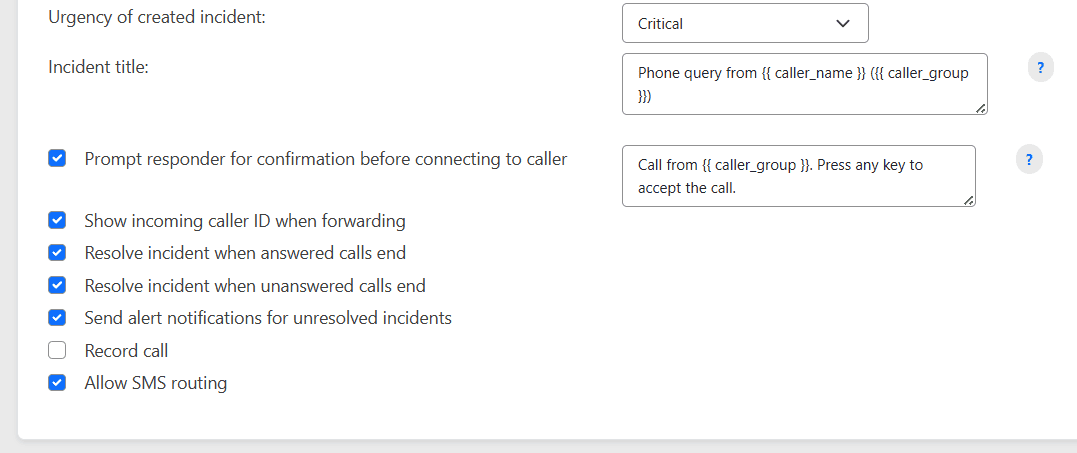
- If you would like, you can customize the incident title, but otherwise, you are done. Once you save the live call routing configuration, SMS routing will also be configured for the same number.
How does SMS Routing work?
The first incoming SMS from a number creates an incident. This SMS creates an incident. The SMS is forwarded to on-call users immediately. Incident notifications are also sent to on-call users as per their notification rules.
All follow up SMS from the same number are grouped into the same incident as part of the conversation until the incident is resolved. Once an incident is resolved, the next SMS from the same sender creates a new incident.
Replies made by on-call users are forwarded to the sender creating a seamless channel of communication.
View Conversation
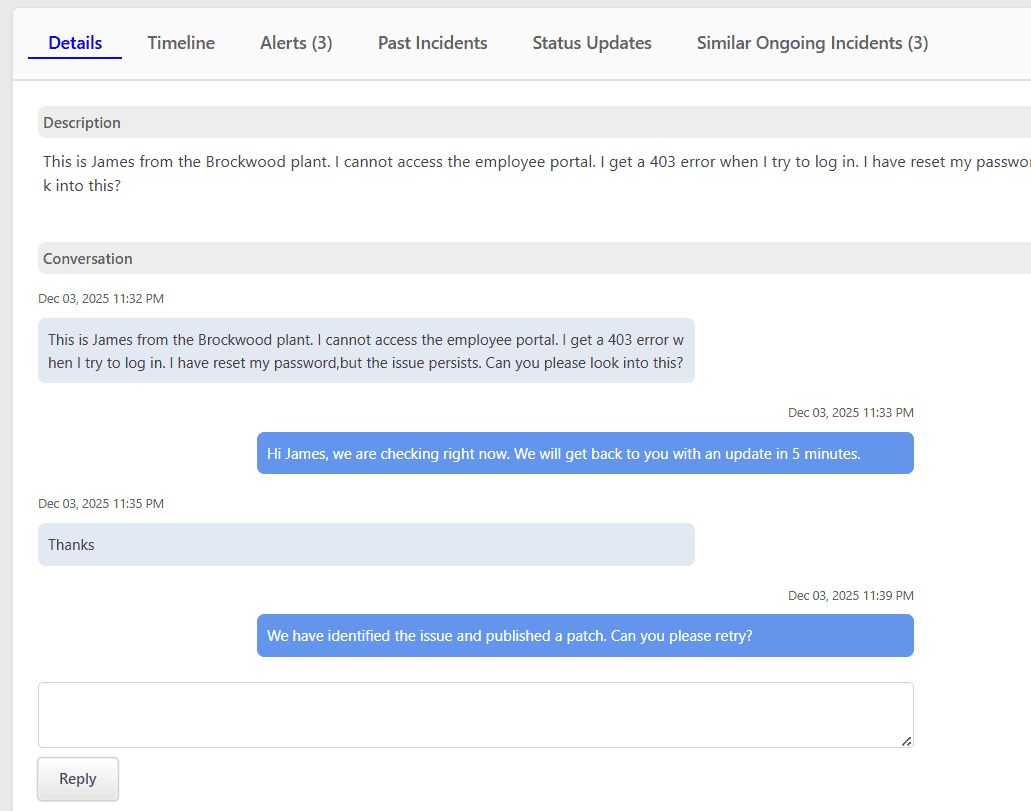
All incoming SMS and replies are logged and shown as a conversation on the incident details page. Users can reply back from within the application.
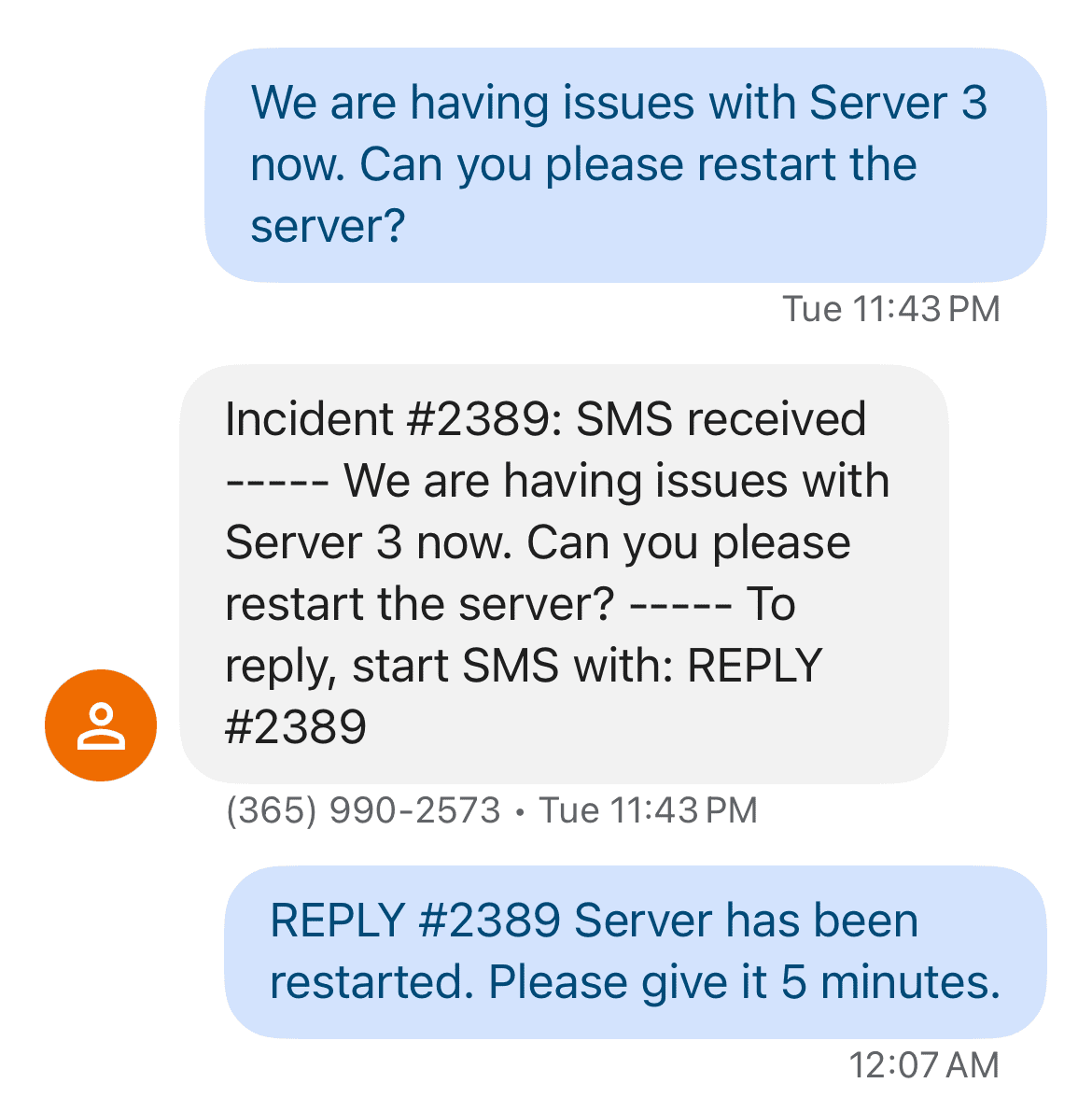
All incoming messages are forwarded to on-call responders such that a copy of the whole conversation is also available on the responder's personal device.
Timeline
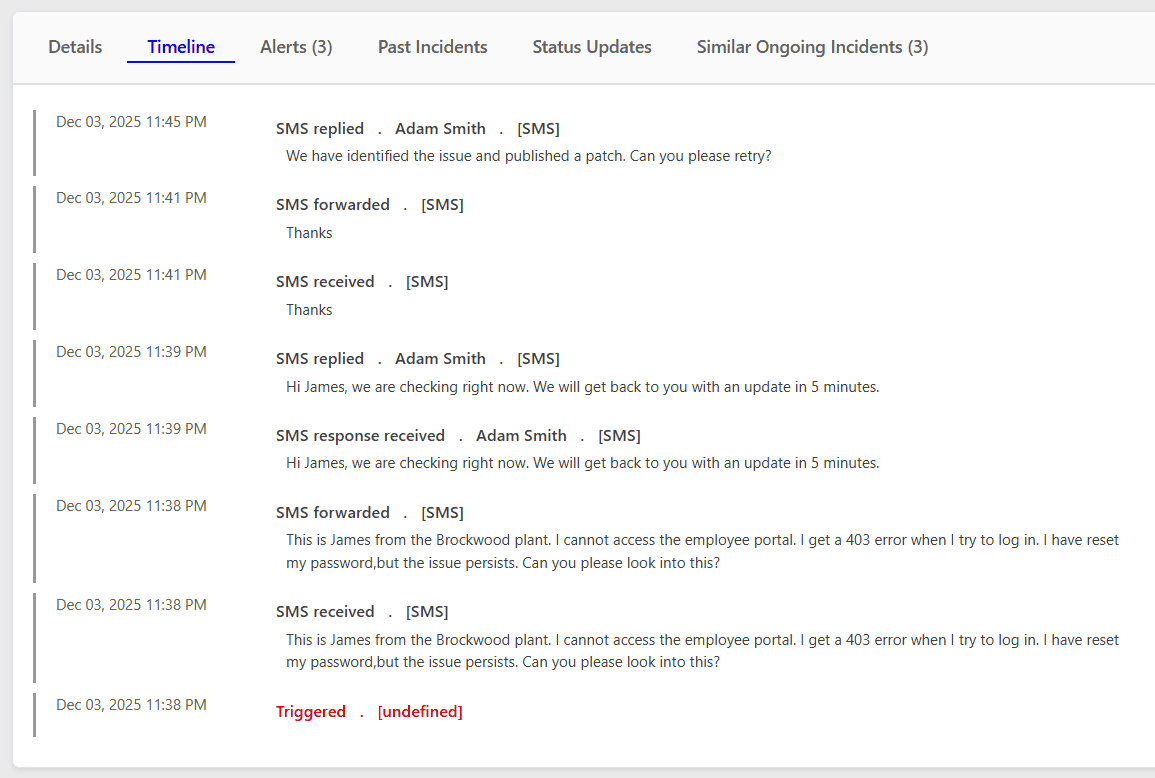
All SMS routing events are logged in the Incident Timeline. Managers can review the logs to get a better idea of the way the incidents were reported and responded to. The events related to SMS routing are listed below:
- SMS Received: Incoming SMS from an outside sender.
- SMS Forwarded: Incoming SMS is forwarded to on-call user.
- SMS Response Received: On-call user responds directly by SMS and the system acknowledges receipt of it.
- SMS Replied: A reply is sent to the outside sender.