
SolarWinds Observability SaaS Integration Guide
SolarWinds Observability SaaS (SWO) is a unified cloud platform for the management of all system infrastructure. It combines all of SolarWinds platforms under one umbrella. Its capabilities include the monitoring of digital resources, applications, databases, logs and network infrastructure.
TaskCall integrates with SolarWinds Observability to bring alerts generated by the platform to the correct on-call responders and mobilize the incident response process with its comprehensive incident response and management systems. Clients can run further validations through TaskCall and execute automated resolutions to reduce interruptions for their IT and DevOps engineers.
SolarWinds also offers its platform through an on-premise solution. If your using SolarWinds on-prem platform, then please refer to the SolarWinds Hybrid Cloud Observability integration guide instead.
Pointers
- The integration is between a TaskCall service and SolarWinds Observability SaaS.
- This integration only receives alerts in TaskCall from SolarWinds Observability.
- TaskCall will automatically identify alerts that are the same and group them together into one incident.
- Incidents will automatically resolve when the metrics come back within the threshold in SolarWinds Observability.
In TaskCall
- Go to Configurations > Integrations and click New Integration.
- Select the SolarWinds Observability SaaS integration.
- Give the integration a name and configure how incidents will be created. Only the Default Service field is required. The rest are optional.
- Incidents (Optional)
- TaskCall automatically maps incoming payloads with internal attributes to create incidents. However, this can be customized in the Incidents tab. Constant values can be included alongside placeholders to dictate which attributes should map to the Incident Title, Description, Tags, Snapshots and Vendor URL. To insert a placeholder use double curly braces.
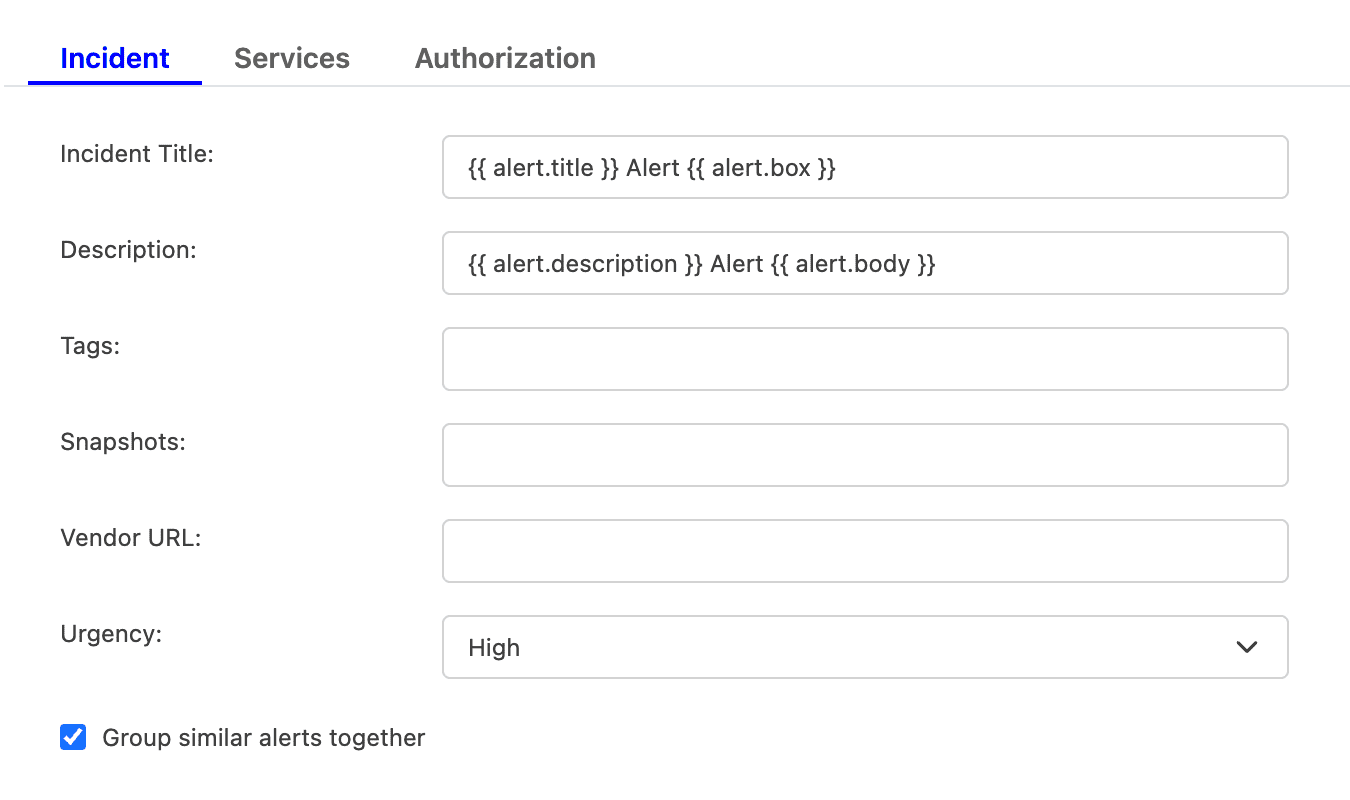
For example, if you enter {{ alert.title }} in the Incident Title field, TaskCall will look for an attribute called "title" nested inside another attribute called "alert" in the incoming payload. If the nested attribute exists, its corresponding value will be pulled from the payload and inserted. If the nested attribute does not resolve successfully, TaskCall will fall back to the default mapping.
If you are unsure, please leave the fields empty. TaskCall will use the default mapping to create the incident for you. - Select the Urgency level the incident should be created at.
- Select the option to Group similar alerts together if you would like follow up triggers from the same alert source to be grouped into the same incident. If you leave this option unchecked, then a new incident will be created for every trigger. (This behavior is specific to new triggers; not updates to an alert.)
- Click Next to move on to the Services tab.
- TaskCall automatically maps incoming payloads with internal attributes to create incidents. However, this can be customized in the Incidents tab. Constant values can be included alongside placeholders to dictate which attributes should map to the Incident Title, Description, Tags, Snapshots and Vendor URL. To insert a placeholder use double curly braces.
- Services (Required)
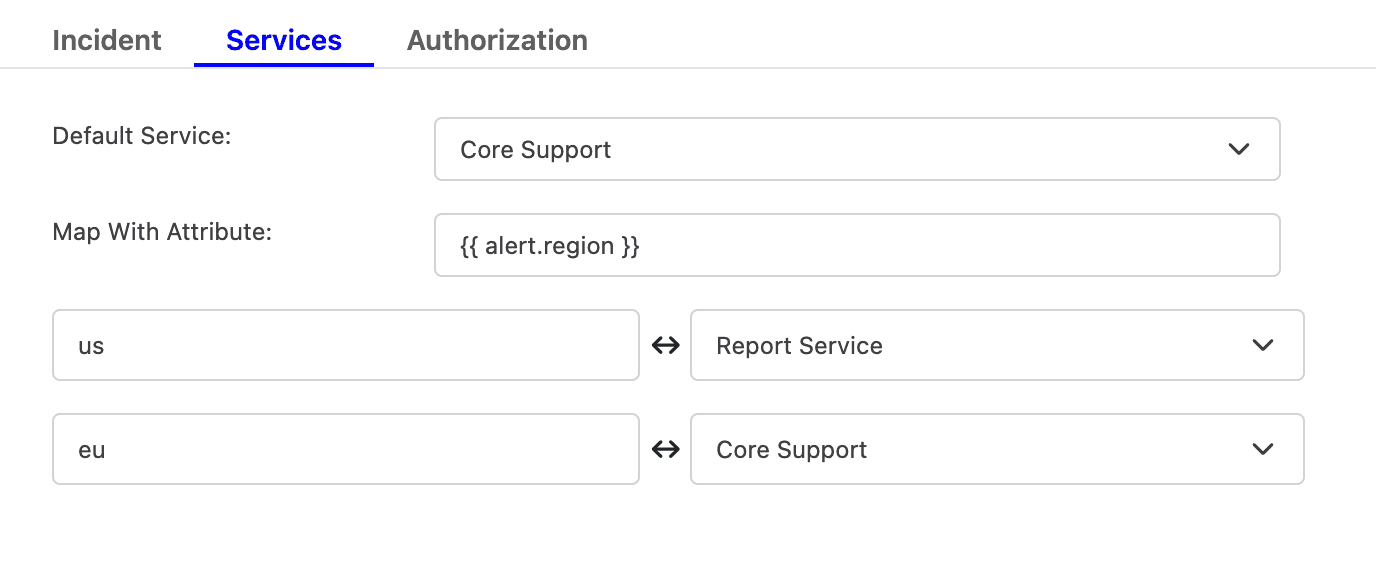
- Select the Default Service incidents should be sent to. To route incidents to different services instead, set Map With Attribute to the attribute to route by using a placeholder. Then, map each value it can take to the service that should receive it.
For example, to route by a region attribute sent in the payload, set Map With Attribute to {{ region }}, then map US to one service and EU to another, and so on.
- Click Next to move on to the Authorization tab.
- Select the Default Service incidents should be sent to. To route incidents to different services instead, set Map With Attribute to the attribute to route by using a placeholder. Then, map each value it can take to the service that should receive it.
- Authorization (Optional)
- The Authorization tab allows a Bearer Token and an IP Allowlist be added if you would like to restrict who is able to send alerts to this integration. If you are unsure, this can be skipped.
- Once done, click Save.
- Copy the Integration Url that is issued for the integration. This will be used to set up the notification in SolarWinds Observability SaaS.
In SolarWinds Observabillity SaaS
The integration requires a webhook to be set up from SolarWinds Observability SaaS to TaskCall. The webhook can then be added to alerts to send over the details when thresholds are breached or checks fail.
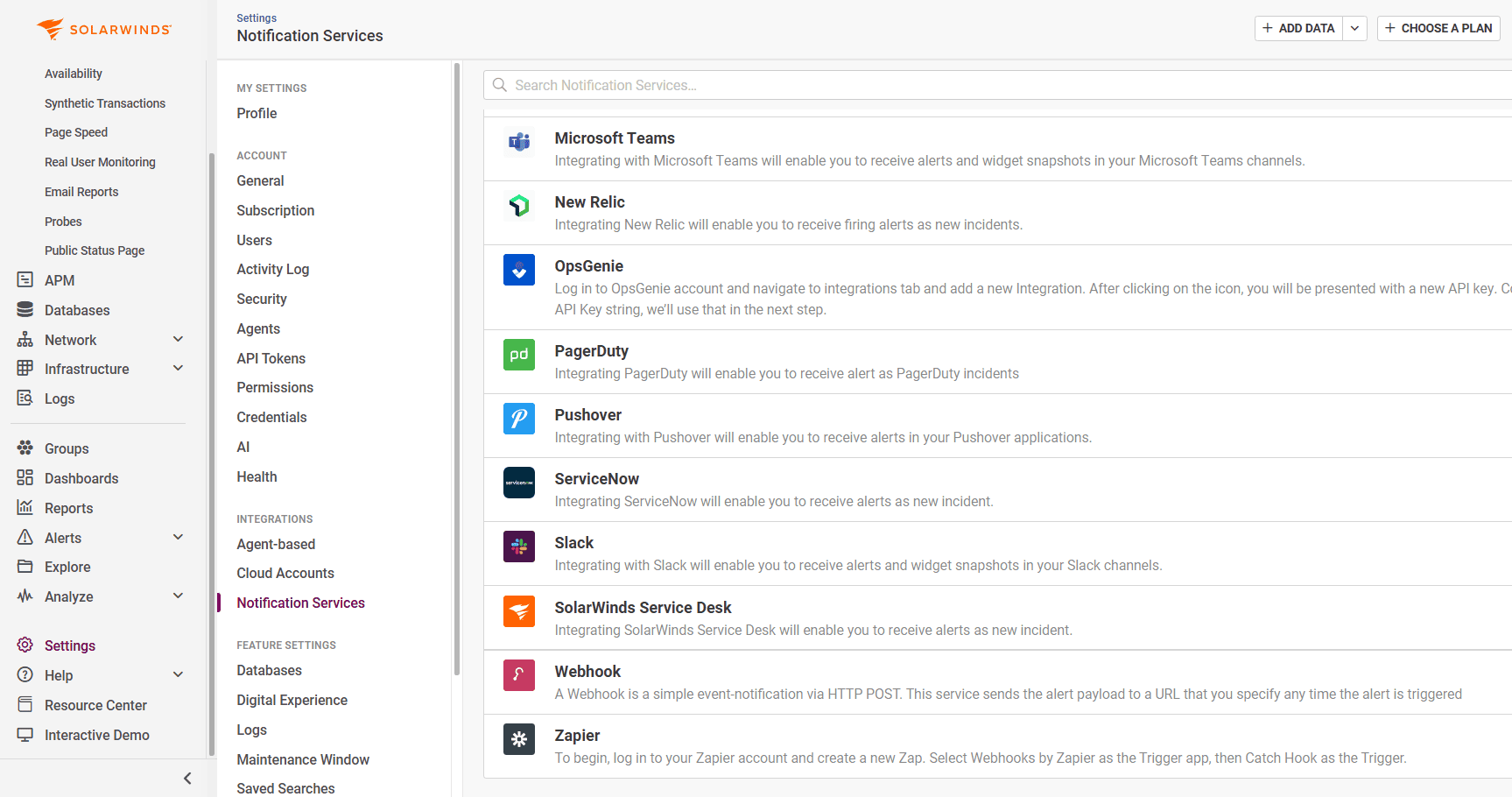
- Go to Settings > Notification Services > Webhook.
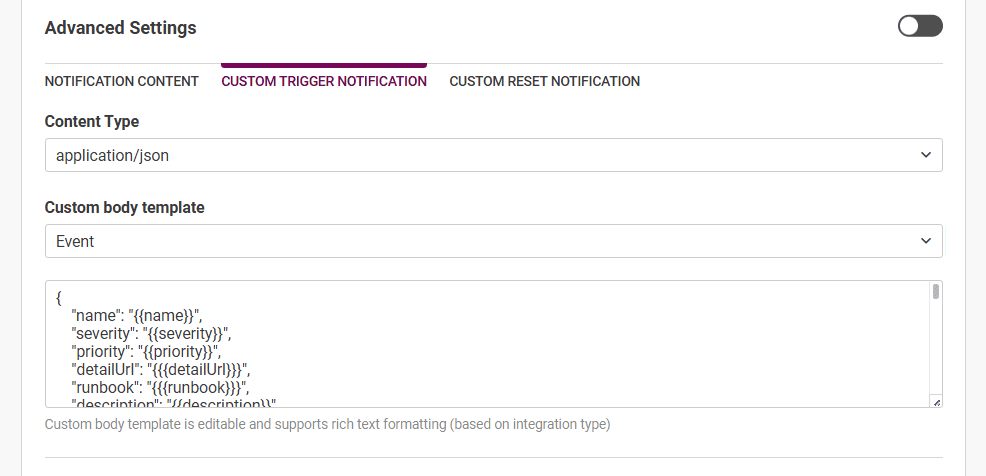
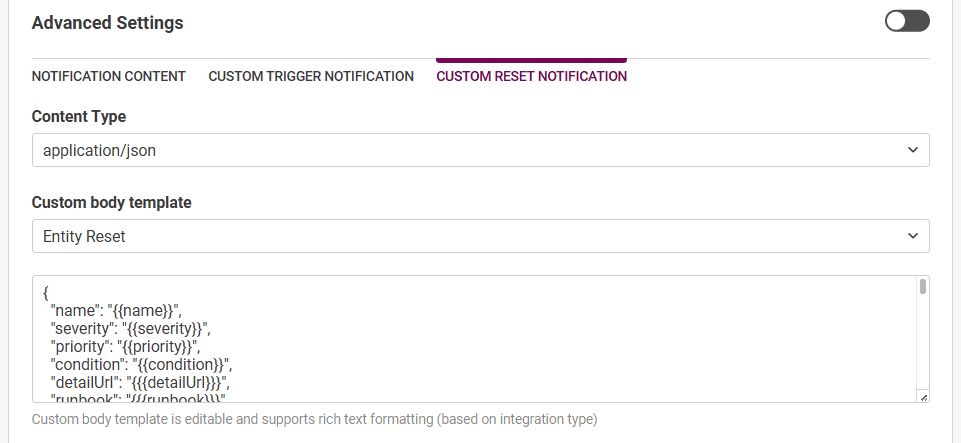
- Create a new webhook configuration. Give it a name and a description. Paste the Integration URL you copied over from TaskCall in the Destination URL field. No advanced settings are required. However, Custom Trigger Notification and Custom Reset Notification should be enabled.
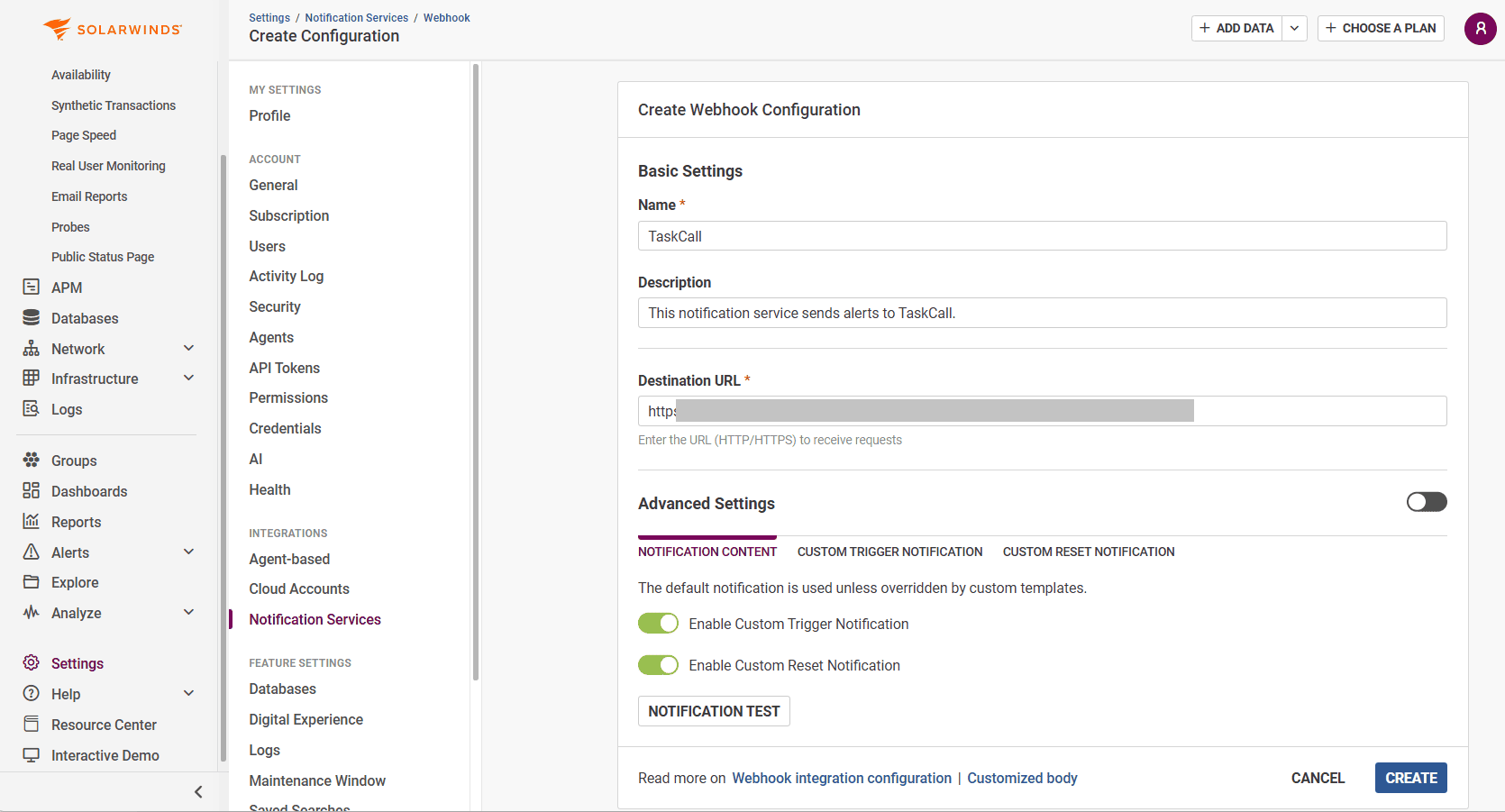
- For the Custom Trigger Notification, set the Content-Type to application/json and select a custom body template.
- Do the same for the Custom Reset Notification.
- Run a test notification to ensure the integration is working. Click CREATE when you are done.
- The webhook is now ready and can be added to alerts to trigger notifications to TaskCall.