What Is IT Alerting? A Practical Guide to IT Alerting Software and Systems
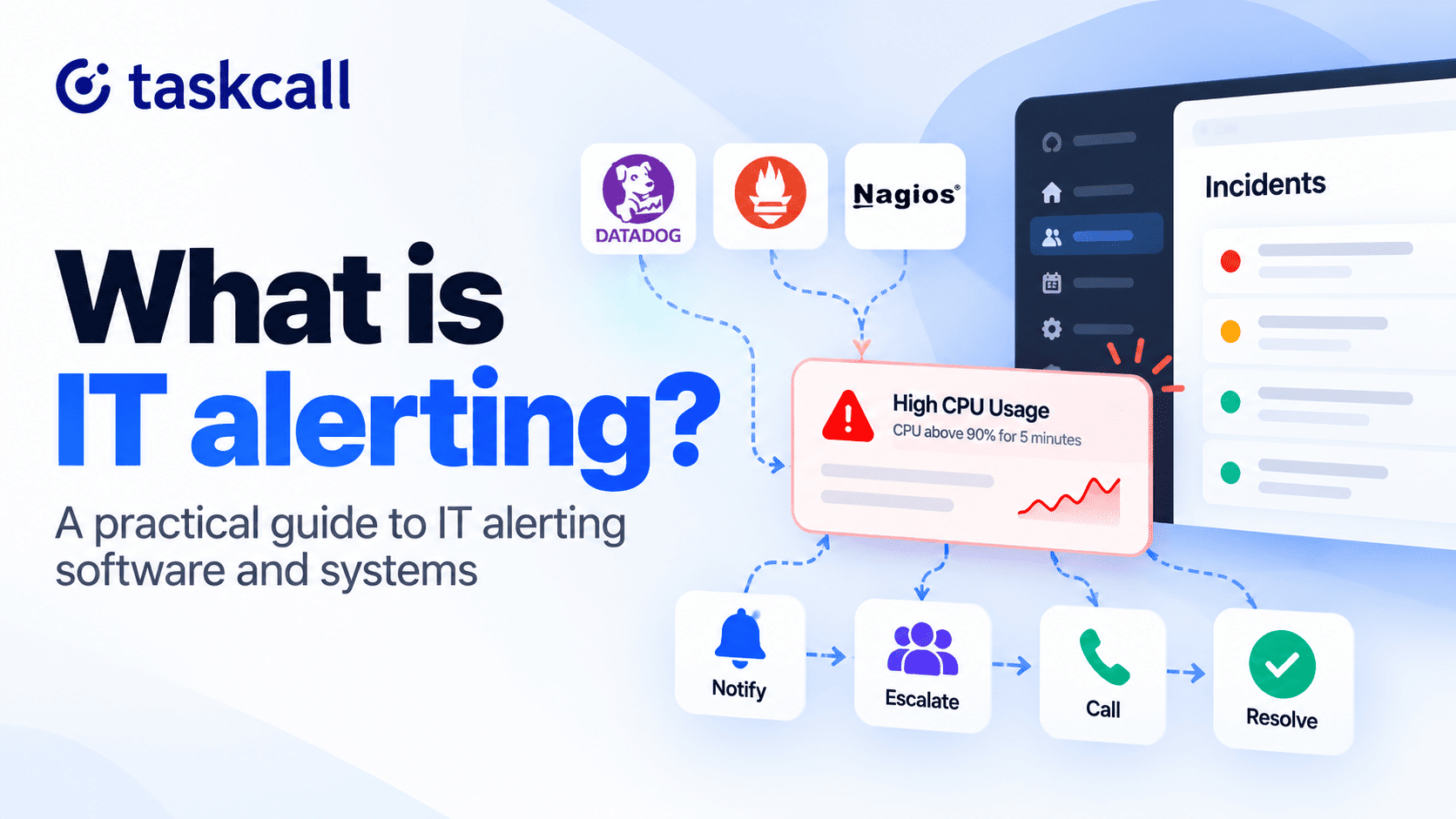
IT alerting is the practice of turning a monitoring signal into a notification for the person who can fix it. A CPU spike nobody sees is just a metric. The same spike that pages an engineer at 2 a.m. is an alert.
Most teams already collect the metrics. Trouble starts afterward, when nobody agrees on who hears about a signal or how fast.
This guide explains how an IT alerting system works and what TaskCall does at each stage. It also shows how IT alert management keeps a pager quiet enough to trust.
What Is IT Alerting?
At its simplest, IT alerting is an automated notification that fires when a system meets a condition someone defined as worth attention. The trigger can be a threshold, such as disk above 90%, or an event, such as a failed deploy. It can also be an absence, like a scheduled job that never checked in.
Monitoring collects the data, while IT alerting decides who hears about it. That split matters because the failures differ. A monitoring gap hides the problem; an alerting gap means someone saw it and no one got the message.
An alert is also not an incident. One failed database can fire dozens of alerts, and they should collapse into a single incident with one owner. The IT alerting and incident distinction sounds pedantic until forty pages arrive for one outage.
| Aspect | Monitoring | IT alerting | Incident management |
|---|---|---|---|
| Main job | Collects and displays data | Decides who hears about a signal, and when | Coordinates the response until it is resolved |
| Typical trigger | A metric, log or check result | A rule, threshold or missed heartbeat | An alert that needs a human |
| What it produces | A dashboard or raw alert | A notification to the person on call | An incident with an owner and a timeline |
| TaskCall example | Datadog or Nagios, connected by integration | Notification tiers and escalation policies | Incidents, response sets and status pages |
How an IT Alerting System Works
Most IT alerting systems follow the same five stages. A weak link at any stage shows up as a missed page. The list below uses that general model and adds what TaskCall does at each one.
- Detection: a monitoring tool such as Datadog or Nagios evaluates a rule and fires an alert. TaskCall documents 60 integrations, so start with IT alerting with Datadog or the full IT alerting tool integrations directory.
- Filtering and routing: rules decide whether the alert becomes an incident, joins a similar one, or drops out. IT alerting rules for conditional routing do this in TaskCall, from the Starter plan.
- Notification: the system finds who is on call and contacts them, usually by push first and then by SMS or phone call. In TaskCall, each user sets which method fires and after how long, using IT alerting system notification rules.
- Escalation: if nobody acknowledges in time, the alert moves to the next person or team. Every plan includes IT alerting escalation policies that set who is next and how long to wait.
- Response: the responder acknowledges, resolves or escalates, ideally from the notification itself. TaskCall responders can reply from the mobile app, the web app, or by SMS and voice codes.
Stage three is where home-built setups tend to fall over. An email to a shared inbox is IT alerting only in the loosest sense: nobody owns it and nothing retries. Scheduling fixes that, and the on-call guide for IT alerting teams covers rotation models and escalation.
Why IT Alerting Fails: Alert Fatigue and Silent Failures
Alerting fails in two opposite ways: too many alerts, or none at all. A February 2026 survey of 1,039 SRE, DevOps and IT operations staff measured both. NeuBird AI sells incident tooling, so weigh the framing, but Carrier Management published the results.
Noise: Alert Fatigue in IT Alerting
On the noise side, 57% of on-call teams said fewer than 30% of their alerts were actionable. Worse, 83% ignore or dismiss alerts at least occasionally, which is alert fatigue in practice. IT alerting system habits that reduce burnout begin with fixing that ratio.
Silence: Missed Alerts in an IT Alerting System
Silence is the opposite problem: 44% of respondents had an outage last year tied to suppressed or ignored alerts. Another 78% had at least one incident where no alert fired at all. The second number is the harder problem, since a rule that never triggers looks like a healthy system.
Heartbeat checks are the usual fix: a job pings on a schedule, and a missed ping raises the alert. TaskCall's IT alerting for silent failures with heartbeat monitoring supports HTTP and email pings. It also closes the incident on its own when the next valid ping arrives.
What to Look For in IT Alerting Software
Feature lists for IT alerting software all look alike, so test behavior instead of counting checkboxes. Three things separate tools that hold up at 3 a.m. from those that don't.
On-Call Routing in IT Alerting Software
The software must know who is on call right now, not who was last week. Overrides matter most, because vacations and sick days are when pages land on the wrong person. TaskCall's IT alerting software routines cover rotations and overrides, and the on-call schedule examples for IT alerting show common patterns.
Reachability in an IT Alerting Tool
Phones go on silent, and people sleep through the first ring. An IT alerting tool therefore needs backup channels and a rule for how long to wait before using them.
Some alerts start as customer calls or texts, not monitor signals. Calls go to the on-call responder through TaskCall's IT alerting with live call routing, which also opens an incident. Texts get the same treatment through IT alerting by SMS routing.
Two-Way Response From an IT Alerting Solution
If a responder must open a laptop to say "I've got it," the escalation timer keeps running for nothing. A good IT alerting solution accepts a push tap, an SMS reply or a keypad press as the response. Chat matters too, so TaskCall's IT alerting solution for Slack teams connects that alerting to your team's Slack channel.
IT Alert Management: Rules That Cut Noise
IT alert management is the rule set that decides what happens to an alert before a human sees it. A handful of rules usually does most of the work, so write them before you add another monitor.
Grouping and Suppression in IT Alert Management
Grouping merges similar alerts from a short window into one incident, without paging anyone again. Suppression works differently: it holds back repeats within a set window. If both are on, suppression takes priority.
Deduplication Keys in IT Alert Management
Deduplication ties repeat alerts to one open incident through a key pulled from the payload. A follow-up alert with the same key can resolve the incident, so recovery messages close it unattended. The IT alert management with content-based delegation tutorial shows the routing behind both.
Routing by Content in IT Alert Management
Not every alert deserves the same responder or the same urgency. Rules can match payload fields and then reroute the alert, lower its urgency or stop it from paging anyone. A rule can apply alone or combine with others, so test the order.
Where to Start With IT Alert Management
Start with your noisiest source. Sort last month's alerts by origin, take the top three and write a rule for each. Teams that outgrow hand-written rules can try IT alert management with AIOps, TaskCall's rule-based and AI-enabled event management.
TaskCall IT Alerting Software: What Each Plan Covers
TaskCall is an IT alerting tool for on-call teams that turns alerts into incidents and pages whoever is on the schedule. Which alerting features you get depends on the plan, so each section below says where a feature starts.
Notifications in the TaskCall IT Alerting System
By default, TaskCall works through IT alerting system notification tiers: email and push together, then SMS, then a voice call. Users can reorder those steps and set separate rules for each urgency level. SMS and voice messages carry codes for acknowledging, resolving or escalating, so a text reply or keypress is enough.
Live Call and SMS Routing in TaskCall IT Alerting
TaskCall registers a regular or toll-free number for you. Calls forward to the on-call responder while an incident opens in the background. IVR menus for IT alerting, voicemail, call recording and outbound calling sit on top of that.
SMS routing works the same way for texts. TaskCall logs each incoming message as an incident and routes it to the right responder.
IT Alert Management in TaskCall: Routing, Heartbeats and AIOps
Conditional routing and heartbeat monitoring start on the Starter plan. Its rules can group, suppress, reroute or drop alerts by content, and heartbeats catch jobs that go quiet. The Digital Operations plan adds AIOps and intelligent noise reduction, and IT alert management with incident AIOps has the details.
TaskCall IT Alerting Software Pricing
Prices come from TaskCall's IT alerting software pricing page as of 30 September 2026. Check it before you budget, since plans change.
| Plan | Price per user per month | IT alerting features |
|---|---|---|
| Free | $0 | Up to 5 users, push and email alerts, escalation policies, on-call scheduling |
| Starter | $9 | Adds SMS and voice notifications, conditional routing, heartbeat monitoring |
| Business | $19 | Adds automated incident response and incident workflows |
| Digital Operations | $29 | Adds AIOps, intelligent noise reduction, AI-generated postmortems |
Start on the Free plan for up to five users with a TaskCall IT alerting software free trial, and move to Starter when you need SMS and voice. Questions about fit go to the TaskCall IT alerting software team.
How to Choose an IT Alerting Tool and Where TaskCall Fits
A two-week trial where you break things on purpose beats any demo. Track IT alerting metrics such as MTTA during the trial to judge the setup. The table lists each test and the TaskCall feature that answers it.
| Check | How to test it | TaskCall feature |
|---|---|---|
| Backup channels | Page a test engineer whose phone is on silent | Email and push first, then SMS, then a voice call; users can reorder the steps and set rules per urgency level |
| On-call changes | Swap one shift mid-week and see who gets the next page | Routines with rotations and overrides |
| Escalation | Ignore a page and time the hand-off | Escalation policies that set who is next and how long to wait |
| Alert noise | Send 20 identical alerts in five minutes and count the pages | Conditional routing that groups, suppresses, reroutes or drops repeats, plus dedup keys that tie repeats to one incident |
| Silent failures | Stop a heartbeat ping on purpose | Heartbeat monitors: a missed ping opens an incident, and the next valid ping resolves it |
| Response without an app | Acknowledge an alert by SMS reply or phone call | Numeric codes to acknowledge, resolve or escalate, plus the mobile and web apps |
| Customer calls and texts | Call and text your support number and check that both open incidents | Live call routing with IVR, voicemail and call recording, plus SMS routing that logs each text as an incident |
| Tool coverage | Connect your two noisiest monitors and fire a test alert from each | 60 documented integrations, including Datadog, Slack, Jira and ServiceNow |
Run all eight checks on each tool on your shortlist, then run them on TaskCall in a TaskCall IT alerting tool free trial. A few of these features sit on paid plans, so confirm your plan before you test.
Switching from Opsgenie or PagerDuty? Start with the TaskCall IT alerting tool options for teams leaving Opsgenie and the TaskCall IT alerting software comparison with PagerDuty. Test a migration too, since schedules and escalation rules may not carry over cleanly.
Conclusion: Get IT Alerting Working With TaskCall
IT alerting works when the right person hears about the right signal fast enough to act. Getting there takes a schedule, an escalation path, a few noise rules and a heartbeat for jobs that go quiet. TaskCall puts those pieces in one place, from on-call routines to live call routing.
Start with a TaskCall IT alerting software free trial and run the eight checks above. If you would rather read first, the TaskCall IT alerting quick start guide covers setup. Questions go to the TaskCall IT alerting team, who reply within 4 hours.
IT Alerting FAQ
How is IT alerting different from monitoring?
Monitoring gathers and displays data about your systems. Alerting decides when that data justifies interrupting a person, and who that person should be. A dashboard without alerting only helps if someone is watching it.
Does IT alerting software replace an on-call schedule?
No, it relies on one. The schedule says who is responsible at each hour, while the software handles the contacting and escalating. Our IT alerting escalation policy tutorial shows how that hand-off works.
How is IT alert management different from incident management?
IT alert management works on the signal: it filters, groups and routes alerts before they become incidents. Incident management picks up from there with roles and communication. See IT alert management inside incident management for the full picture.
Can an IT alerting system work without a monitoring tool?
Yes, as long as something can send an HTTP request or an email. TaskCall accepts alerts through its IT alerting system API and by email. Scheduled jobs with no monitor attached can use heartbeat checks instead.
Is there a free IT alerting tool?
Yes, TaskCall's Free plan covers up to 5 users with push and email alerts, escalation policies and on-call scheduling. Voice and SMS notifications start on the Starter plan at $9 per user per month. The TaskCall IT alerting tool pricing page lists every plan.
You may also like...
TaskCall is 50% cheaper than PagerDuty on all pricing plans and offers the same reliability and service commitment. Even the free tier is available for up to 10 users and offers a package of features tailored specifically for small teams.
Looking for OpsGenie alternatives as teams migrate in 2026? Discover the 7 best tools for incident management, alerting, and on-call scheduling. Learn more.