Incident Severity Levels: How to Define Them
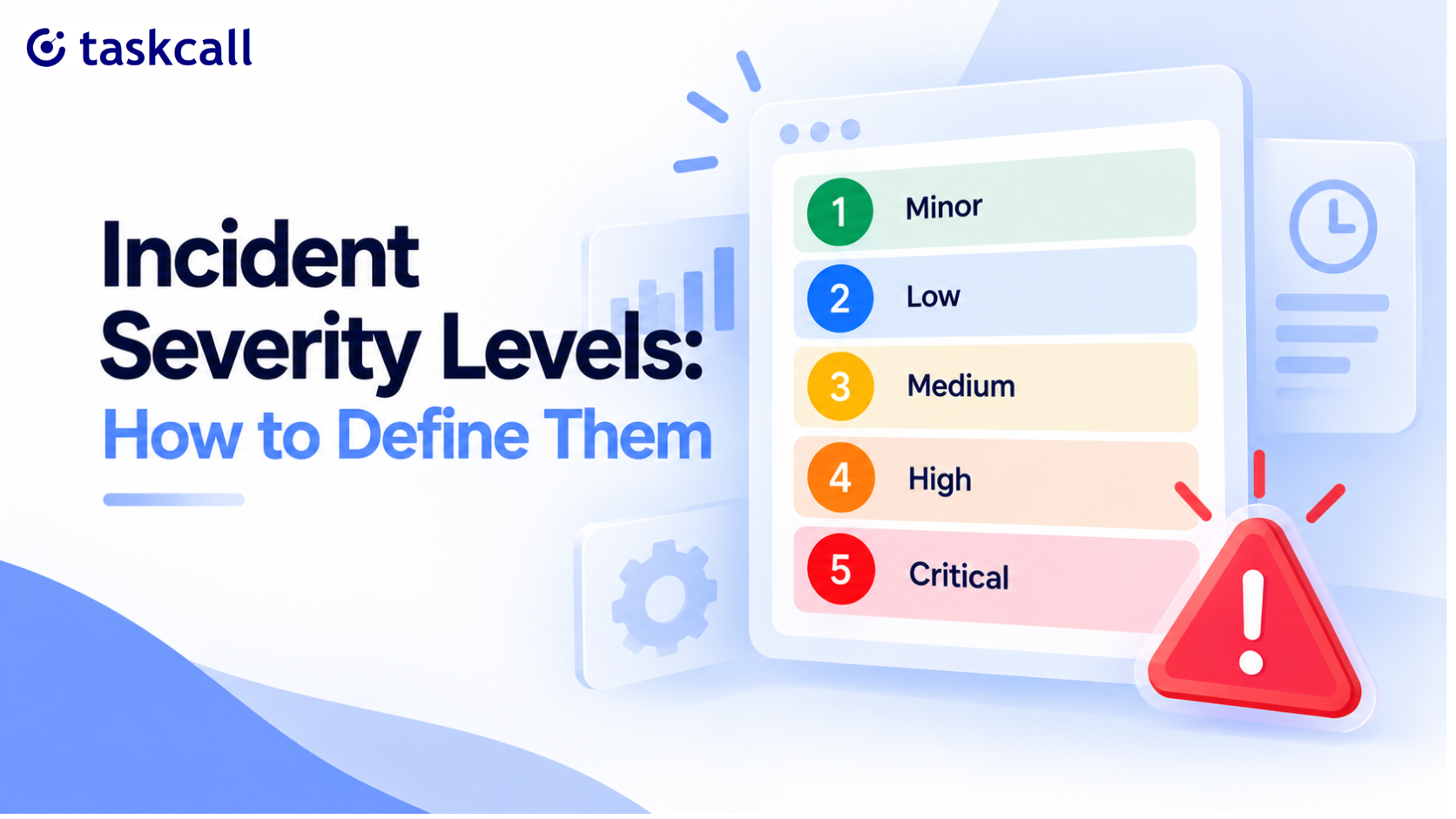
When we talk about a severity level, we mean the label that decides how loudly an incident gets treated. In the industry it gets called by different names, like incident management severity levels, issue severity levels, or IT severity levels, but the underlying question is identical.
A Critical incident wakes people up. A Minor one waits until Monday. Everything about your response, who gets paged, how fast, whether leadership hears about it, flows from that one label.
In practice, most teams get this wrong in a specific way. They copy someone else's scale, paste it into a wiki page, and never revisit it. Then six months later half the team is calling database slowness Critical and the other half thinks that's only for full outages. Nobody agreed on the definitions. They just agreed on the names.
So this is the part that actually needs deciding. The quickest way through it is a severity matrix, mapping impact against reach, before you write a single definition down.
What Severity Levels Are For, and What Level of Severity Means
At a basic level, a severity level does two jobs at once.
First, it sets urgency. It tells the on-call engineer whether to drop what they're doing right now or finish their coffee first.
Then second, it sets scope. It tells everyone else, support, leadership, the status page, how big a deal this is and whether they need to know about it at all.
Skip this step and you get two familiar failure modes. Either everything becomes urgent, so people stop trusting pages and start ignoring them. Or nothing becomes urgent, so a real outage sits quietly for twenty minutes before anyone notices it should have been treated as one.
Severity vs Priority: Severity Levels and Priority Levels Compared
Severity and priority get used interchangeably, and they shouldn't be, because they answer different questions.
Severity asks how bad this actually is. Priority asks what gets worked on first.
| Severity | Priority | |
|---|---|---|
| Question it answers | How bad is this? | What do we fix first? |
| Based on | Impact and reach | Business context and capacity |
| Who sets it | On-call engineer, during the incident | Product or engineering lead, after triage |
| Changes over time | Rarely, unless the scope grows | Often, as priorities shift |
| Typical labels | Minor to Critical, or Sev1 to Sev4 | P1 to P4 |
| Drives | Who gets paged, and how urgently | Where it lands in the backlog |
Usually they line up. A Critical outage is also the first thing you fix.
But not always, and the gap is where teams get into trouble. A cosmetic bug on your homepage might be low severity, technically nothing is broken, but high priority to fix before a big product launch tomorrow.
A rare edge case crashing one enterprise customer's integration might be high severity for that one account and still low priority company-wide. Mapping which business services a failure actually touches is what makes that call defensible rather than arbitrary.
On top of that, priority levels and urgency levels get used almost interchangeably too, and searching priority vs severity turns up both framings used as if they were one thing.
Keep the terms separate in your process. Severity describes the incident. Priority describes your response to it. Conflating them is how a P1 ticket ends up meaning three different things depending on who filed it.
The Incident Severity Matrix
Before writing definitions, it helps to see how the levels fall out of two questions: how much is broken, and how many people it affects. Knowing which services sit behind each answer is what makes the second question answerable at all.
| Few users affected | Many users affected | All users affected | |
|---|---|---|---|
| Nothing functionally broken | Minor (1) | Minor (1) | Low (2) |
| Feature degraded, workaround exists | Low (2) | Medium (3) | High (4) |
| Feature fully broken | Medium (3) | High (4) | Critical (5) |
| Core product down or data at risk | High (4) | Critical (5) | Critical (5) |
Read it as impact down the side, reach across the top. Where they meet is your starting level, and it's the number you'd pass to the Incidents API when triggering programmatically.
Two things worth noticing. Scope alone can move something two tiers, which is why "the export is broken" isn't a severity on its own until you know who it's broken for. And Critical fills the entire bottom-right corner, because once the core product is down for most users, counting more precisely doesn't change what you do about it.
Treat the grid as a default, not a rule. Regulated data, a contractual deadline, or a customer in the middle of onboarding can all justify bumping a level.
The point is that bumping it becomes a deliberate decision you can explain, rather than a guess. Tagging incidents with the reason makes those exceptions searchable later, which is how you spot a pattern worth changing the grid over.
Severity Levels 1 2 3 4 5: A Working Scale
Five levels is enough for almost every team. More than that and people start guessing which bucket something falls into, which defeats the purpose of having levels at all.
Whatever you call your tiers internally, they need to map onto something a system can actually act on. TaskCall's Incidents API uses exactly this shape: an urgency_level field, numbered 1 through 5, running Minor, Low, Medium, High, Critical.
Trigger an incident through the API, whether on a service or directly against a policy, and that number decides how it gets routed from there.
Level 1, Minor (Sev4): No Functional Impact
Nothing is broken. A typo, a misaligned button, a log line noisier than it should be. This gets a ticket, maybe a custom incident action if you track it at all, and life moves on.
Level 2, Low (Sev4): Minor Annoyance, No Workaround Needed
Both Minor and Low fall under Sev4 in the four-tier convention, which is exactly where the two scales stop lining up neatly.
Something behaves oddly, but nobody is blocked and no workaround is required. A slow-loading settings page, or a report that renders with the wrong date format. Worth fixing, never worth paging.
Level 3, Medium (Sev3): Feature Broken for a Limited Group
Something's wrong, but it's contained. Maybe one integration, maybe a small subset of users. Conditional routing can send this straight into the queue. It gets picked up during business hours, not at 3am.
Real example: CSV export is failing for accounts on one specific plan tier.
Level 4, High (Sev2): Major Functionality Broken, Workaround Exists
A significant feature is broken or badly degraded, but the product as a whole still works. This pages the primary on-call engineer through whatever channel they're on, mobile push, SMS, or chat. It usually doesn't need to wake up the whole team.
Real example: search is down, but customers can still browse and check out through the category pages.
Level 5, Critical (Sev1): Full Outage or Critical Data Risk
The core product is down for all or most users, or customer data is at risk. This pages the whole on-call chain immediately, no exceptions, no waiting to see if it resolves itself.
Real example: checkout is returning errors for every customer. Nobody's buying anything, and nobody upstream can fix it without you. This is also the tier that usually needs a public status page update, not just an internal page.
If your team prefers the classic Sev1 through Sev4 naming, note that it counts the opposite way: Sev1 is the worst, Sev4 the mildest.
So Sev1 lines up with Critical, Sev2 with High, Sev3 with Medium, and Sev4 spans Low and Minor. Four tiers into five never maps cleanly, which is worth knowing before you try to translate between the two.
Wiring Severity Levels Into Escalation Policies
A severity scale on a wiki page changes nothing by itself. It only works once it's wired into the systems that actually notify people.
That means your incident triggers need to fire differently depending on the urgency level assigned, not treat every alert identically. TaskCall's own notification system is built around this: notification rules can be set separately for each urgency level, dispatched in tiers through email, push, SMS, voice calls, and chat-ops.
In practice, High and Critical route through critical alerts that override do-not-disturb, while Medium, Low, and Minor wait for a normal notification.
Building the Policy
An escalation policy is the rule that says who gets notified, in what order, and how long each person has before it moves on.
- Create a routine first. The policy notifies whoever is on call, so it needs a routine behind it to know who that is. Set the rotation before the policy.
- Set your first level and a wait time. Level one is usually the primary on-call engineer. Give them a window to acknowledge, commonly five to fifteen minutes depending on severity.
- Add a second level for the miss. If nobody acknowledges inside the window, the incident moves to secondary support automatically. This is the whole point of the policy, and the part teams most often skip.
- Add a final catch. A third level pointing at a team or a manager stops an incident from quietly running out of people to notify.
- Attach different policies to different severities. A Critical incident and a Minor one shouldn't run the same policy. Critical can start with two people in parallel and escalate in five minutes. Minor might have one level and no escalation at all.
Full configuration detail sits in the escalation policy docs.
What This Changes
Done properly, severity classification stops being a documentation exercise. It becomes the thing deciding, automatically, who gets woken up, on which notification number, and how fast.
For anything Critical, that often means mobilizing a wider response rather than paging one person and hoping.
How to Roll Out a Severity Scale
Writing the definitions is the easy part. Getting a team to actually use them consistently takes a few deliberate steps. If you're setting up from scratch, the quick start guide covers the groundwork first.
Start from your last twenty incidents, not from a blank page. Pull the real ones out of your reports and sort them into tiers retroactively. You'll find the arguments immediately, and arguing about an incident that already happened is far cheaper than arguing during the next one.
Write one example per level, drawn from your own system. Generic definitions get interpreted differently by everyone. "Checkout returns errors for all customers" is unambiguous in a way that "critical business impact" never will be.
Name who decides. Usually whoever is on call. Say it out loud, put it in writing, and make sure their user role actually lets them act on it. A fast call that gets corrected in five minutes beats a slow call reached by committee.
Wire it into the tooling before you announce it. If Critical doesn't page differently than Medium on day one, the scale is documentation, and people treat documentation accordingly. Build the per-severity escalation policies covered above, then define a response set per tier so the right people arrive without anyone assembling them by hand.
Review the calls, not just the incidents. In your next few postmortems, add one question: was the severity right? That single question is what turns a scale from something written once into something the team actually trusts.
Expect the first month to be messy. People will overcall, then overcorrect and undercall. That settles once there are enough real examples to point at.
Where Severity Scales Actually Break
Tiers that overlap in practice. Two levels with definitions people can't reliably separate will collapse into one, usually the more severe one, because nobody wants to undercall. The same discipline applies to your on-call routines: more complexity than the team can hold in their head stops helping at some point.
No named owner for the decision. If severity is set by consensus in a Slack thread, it gets set slowly, and slowly is the opposite of what a Critical incident needs.
Definitions nobody reread since they were written. A scale written for one product and two customers won't fit a company with fifteen integrations and a thousand accounts. Revisit it once a year at minimum. Also revisit it immediately after any incident where the severity call turned out to be wrong, ideally using real incident metrics rather than gut feel.
No connection to who actually gets paged. This is the big one, and it's the difference between a severity scale that's real and one that's decorative.
If Critical doesn't automatically trigger your on-call schedule and pull in the right team, the label is just words. Someone still has to notice, still has to decide who to call, and you've lost the entire point of defining levels in the first place.
Make Your Severity Scale Actually Work
Defining the levels is the easy half. A scale only earns its keep once Critical pages differently than Medium without anyone deciding in the moment, and that means wiring the tiers into the system that does the notifying.
TaskCall handles that directly: separate notification rules per urgency level, critical alerts that override do-not-disturb, and escalation policies that already know who to call next when the first person doesn't answer.
Start a free trial and set up one service with a per-severity policy to see it run, or check the pricing if you're still scoping it out.
Severity Levels FAQ
What is a Sev1 incident, and what do Sev-1 or Sev0 mean?
All three names usually point at the same thing: your highest severity tier, a full outage or serious data risk affecting most or all customers. Sev1 meaning and Sev-1 meaning are typically identical, the hyphen is just a style choice.
Some teams use Sev0 instead, to leave room to escalate even higher in extreme cases. Whichever name your team uses, it should map to Critical, or level 5, in whatever system actually triggers your alerts. It should also trigger immediate paging with no delay.
What do P1, P2, P3 and P4 mean?
These map to the priority equivalent of Sev1 through Sev4, and teams often use the two interchangeably even though they technically answer different questions. P1 means fix it now. P4 means it can wait.
What's the difference between severity and priority?
In short, severity measures impact: how bad is this, right now, for how many people. Priority measures response order: what gets worked on first. They usually match. When they don't, that mismatch is worth paying attention to.
How many severity levels should we have?
Generally, four or five works for most teams, and five is what TaskCall's own urgency scale uses. Four is plenty if your lowest tiers keep collapsing into each other. Past five, the scale usually shrinks back within a year because nobody can consistently tell the levels apart.
Who decides the severity of an incident?
Whoever's on call in the moment makes the initial call, using criteria that should already be written down and unambiguous.
Debating it after the fact, once the incident response is over, is exactly the right time to refine the definitions for next time. It's a natural fit for whatever postmortem process you already run.
Are issue severity levels the same as incident severity levels?
Yes, in practice. Some teams say issue severity levels because their tracker calls everything an issue rather than an incident. The scale and the logic behind it don't change based on which word your tooling happens to use.
Should severity levels match ITIL?
Not necessarily. ITIL's priority matrix is built for enterprise incident management environments with formal change management, and most product teams don't need that level of ceremony. Borrow the underlying logic, urgency times impact, without importing the whole framework.
You may also like...
TaskCall is 50% cheaper than PagerDuty on all pricing plans and offers the same reliability and service commitment. Even the free tier is available for up to 10 users and offers a package of features tailored specifically for small teams.
Looking for OpsGenie alternatives as teams migrate in 2026? Discover the 7 best tools for incident management, alerting, and on-call scheduling. Learn more.