Zoom is where distributed teams meet, and Zoom Team Chat is where they coordinate between calls. TaskCall connects to both.
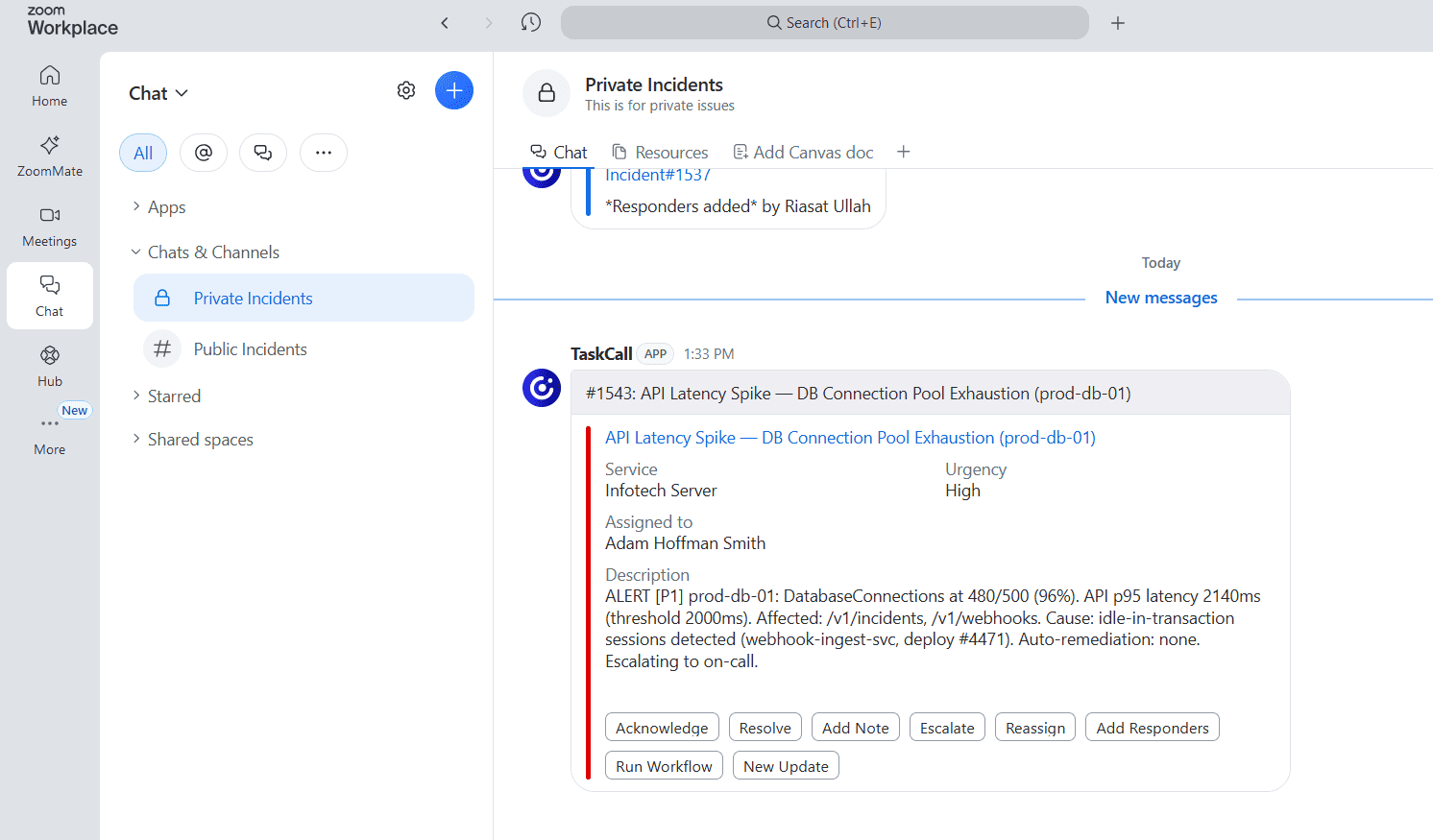
Alerts land in your Zoom channels with enough detail to triage. Acknowledge, escalate or resolve without leaving the conversation. When the incident needs voices instead of messages, start a Zoom conference bridge in one touch and every responder gets pulled in.

TaskCall is on the Zoom App Marketplace. One install gives you the Team Chat integration and the conference bridge. Authorizing the app in Zoom shows the exact permissions TaskCall needs, and each user verifies their Zoom account with a quick slash command before acting on incidents from chat.

Incident alerts arrive in your Zoom channel with metric snapshots. Route them to one team channel or a dedicated channel per incident.
Acknowledge, resolve, add a note, escalate or reassign from the notification card. Every action is recorded on the incident timeline.
Spin up a Zoom conference bridge from the incident in one click. Everyone assigned is notified and anyone added later joins automatically.
Add responders, run workflows and post status updates from the chat. Create incidents with /taskcall create-incident, the same chat-ops model as every TaskCall chat integration.
Learn more about Zoom
Zoom runs video conferencing and, through Zoom Team Chat, messaging in channels and threads. Teams that already work inside Zoom can stay there when something breaks.
Service reliability is the core of modern businesses. Elevate your own reliability with the right incident response solution.
Stay protected from unexpected downtimes. Stay ahead of the curve.
Don't lose money from downtime.
We are here to help.
Start today. No credit cards needed.
81% of teams report response delays due to manual investigation.
Morning Consult | IBM
Global Security Operations Center Study Results
-- March 2023