PagerDuty Pricing in 2026: Plans, Add-Ons and Real Costs
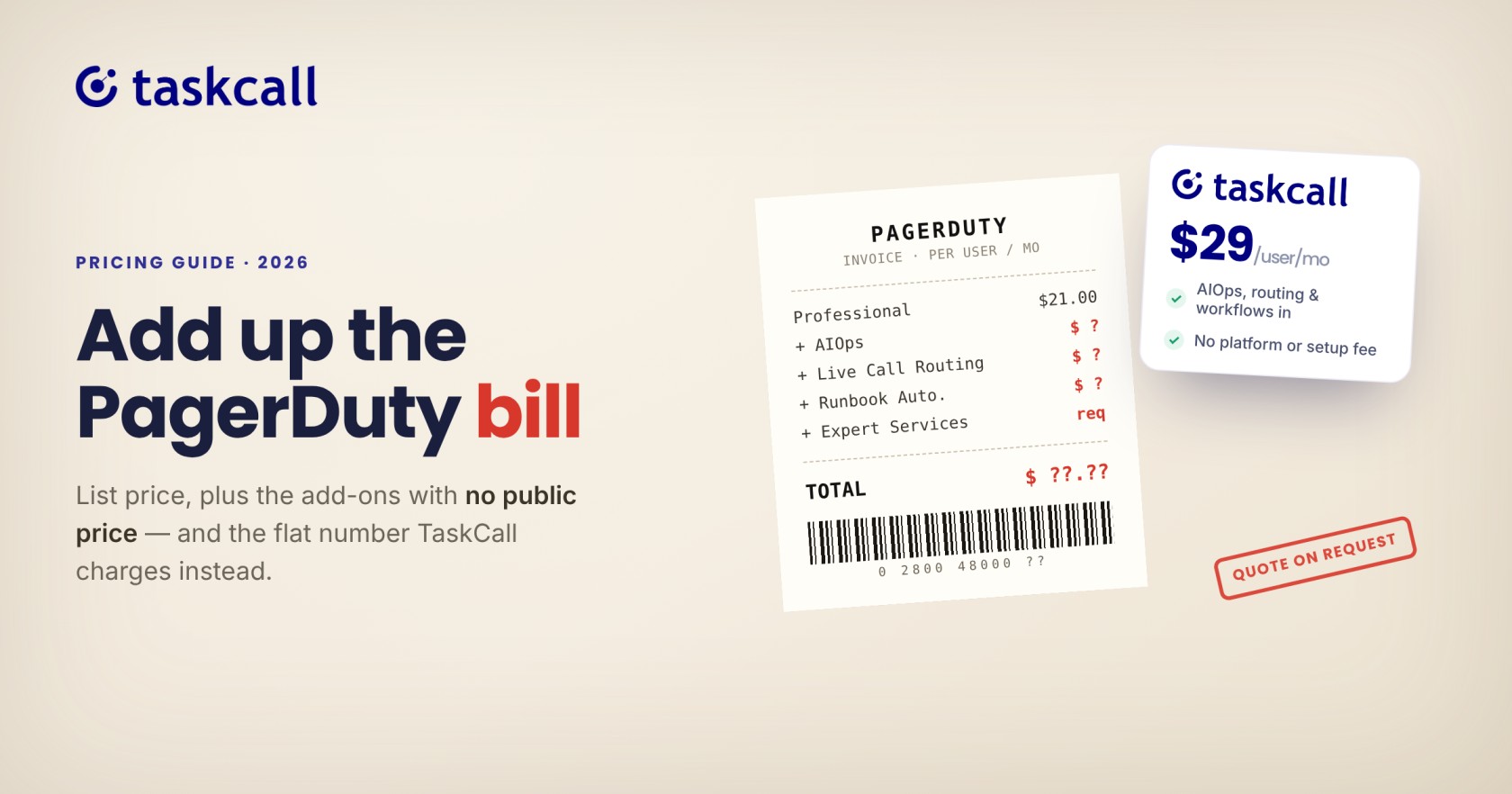
PagerDuty pricing is hard to pin down. The price depends on whether you pick a per-user plan or a platform bundle, how many events you send and which add-ons you need. Several of those add-ons have no public price at all.
This guide lays out what PagerDuty publishes, what it does not and what the numbers add up to for teams of 10, 25 and 50 users. It also shows where TaskCall includes features that PagerDuty sells separately. All PagerDuty figures come from its official pricing page and were checked on October 14, 2026. Prices change, so confirm them before you buy.
PagerDuty vs. TaskCall Pricing at a Glance
Here is how each TaskCall plan compares with what PagerDuty offers at a similar level. PagerDuty prices are list prices from its pricing page.
| TaskCall | PagerDuty | |
|---|---|---|
| Free | $0 for up to 5 users. Includes unlimited push and email alerts, escalation policies and on-call scheduling. | $0 for up to 5 users. Limited to 1 schedule, 1 escalation policy and 100 SMS or phone notifications a month. |
| Starter | $9 per user per month. Adds unlimited SMS and voice notifications, conditional routing and heartbeat monitoring. | No matching tier. Professional costs $21 per user per month billed annually, or $25 billed monthly. |
| Business | $19 per user per month. Adds automated incident response and incident workflows. | Professional includes 1 incident workflow. Runbook Automation is an add-on with no public price. |
| Digital Operations | $29 per user per month. Adds AIOps, intelligent noise reduction and AI-generated postmortems. | AIOps is an add-on on top of Professional, with no public price. |
The main difference is how the price is built. TaskCall bills per active user per month, with no platform fee or minimum seats, and its higher plans include AIOps. PagerDuty adds add-ons on top of its per-user price, or sells platform bundles from $2,800 a year for 10 seats, covered later in this guide.
Why PagerDuty Pricing Is Hard to Work Out in 2026
The page presents two pricing models side by side. One charges per user each month. The other, called the PD Reliability Platform, charges a flat yearly fee that bundles a set number of seats, events and AI actions.
Three things make a quote hard to predict:
- The two models use different units. One counts users, the other counts seats, events and AI actions.
- Add-ons such as AIOps, Status Pages and Live Call Routing show no price, so you need a sales call to cost them.
- Usage above your bundle is covered by credit packs, and those prices are also sales-only.
The result is that the headline price is only part of the bill. The sections below separate what you can calculate from what you cannot.
PagerDuty Plans at a Glance
PagerDuty lists six plans. The first two charge per user. The last four are platform bundles billed per year.
| Plan | Price | Seats | What the page lists |
|---|---|---|---|
| Free | $0 | Up to 5 users | 1 on-call schedule, 1 escalation policy, 3 months of data, 100 SMS or phone notifications a month |
| Professional | $21 per user per month billed annually, or $25 billed monthly | Per user | 5 users per escalation level, 2 Teams, 1 incident workflow, 1 year of data, standard email and chat support |
| Starter bundle | $2,800 per year | 10 | 5,000 events, 1,000 AI actions, 1 Live Call Routing line |
| Essential bundle | $12,000 per year | 20 | 40,000 events, 4,000 AI actions, 2 Live Call Routing lines |
| Plus bundle | $48,000 per year | 50 | 150,000 events, 3 Live Call Routing lines, 100 custom incident types |
| Ultimate bundle | Custom | 500 | 2,000,000 events, 100,000 AI actions, 3 Live Call Routing lines |
Plus appears in the page's comparison table but not in its plan cards, so check it with sales if you are considering it.
Per-User Plans vs. Platform Bundles: What Changed
Older write-ups, including some from vendors, still describe a Business plan at $41 per user per month billed annually. That tier no longer appears on PagerDuty's pricing page as of October 14, 2026. The per-user options listed now are Free and Professional, and larger teams are pointed toward the bundles.
The two models suit different teams:
- Per-user (Professional) is simple to forecast. You pay for each user, and you pay month to month if you choose monthly billing.
- Platform bundles charge a flat yearly fee, payable upfront, for a pool of seats, events and AI actions. The per-seat math is less obvious, so it is worth working out.
| Plan | Effective cost per seat per month | Calculation |
|---|---|---|
| Professional (annual) | $21.00 | List price |
| Starter bundle | About $23.33 | $2,800 ÷ 10 seats ÷ 12 |
| Essential bundle | $50.00 | $12,000 ÷ 20 seats ÷ 12 |
| Plus bundle | $80.00 | $48,000 ÷ 50 seats ÷ 12 |
These are effective rates if every seat is filled. Bundles also carry events, AI actions and call routing lines that Professional does not, so the comparison is not like for like. It does show that the bundle price rises quickly with each step up.
Add-On Costs: What Is Not Included in the Base Price
PagerDuty lists these add-ons for Professional. It publishes no price for any of them:
- AIOps
- PagerDuty Advance
- Runbook Automation
- Status Pages
- Live Call Routing
- Gold Services, plus live trainings and certifications
On the bundles, Runbook Automation and Live Call Routing are still add-ons, although each bundle includes some call routing lines. Expert Services are a required add-on on Essential, Plus and Ultimate.
One third-party figure exists. incident.io's 2026 breakdown cites a starting price of about $699 per month billed annually for AIOps, roughly $8,388 a year, and says it rises with alert volume. incident.io competes with PagerDuty and sources that number from other sites, so treat it as an estimate and ask PagerDuty for a quote.
Even that estimate shows the scale. On a 10-person Professional plan costing $2,520 a year, one add-on at that price would more than triple the bill.
What PagerDuty Costs for Teams of 10, 25 and 50 Users
The table uses list prices only. It leaves out every add-on, credit pack and required service, so treat each figure as a floor.
| Team size | Professional, billed annually | Professional, billed monthly | Platform bundle |
|---|---|---|---|
| 10 users | $2,520 | $3,000 | Starter: $2,800 for 10 seats |
| 25 users | $6,300 | $7,500 | Essential: $12,000 for 20 seats, with 5 more seats from credit packs at a price only sales can give |
| 50 users | $12,600 | $15,000 | Plus: $48,000 for 50 seats |
Three points stand out:
- At 10 users the Starter bundle costs $280 a year more than annual Professional, and adds events, AI actions and one call routing line.
- At 25 users the bundle option cannot be fully priced from the public page, because 25 seats exceed Essential's 20.
- At 50 users the gap between Professional ($12,600) and Plus ($48,000) is $35,400 a year. Plus also brings 150,000 events and Expert Services, which are required on top.
Professional also limits each escalation level to 5 users, which can matter for larger rotations. Check that limit against your escalation policies before you commit.
How TaskCall Compares
TaskCall charges per active user, with no platform fee, setup fee or minimum seat count. Its pricing page lists monthly prices only. Each plan includes everything in the plan below it.
| Plan | Price per user per month | Adds |
|---|---|---|
| Free | $0 | Up to 5 users, unlimited push and email alerts, escalation policies, on-call scheduling, integrations |
| Starter | $9 | Unlimited global SMS and voice notifications, conditional routing, heartbeat monitoring |
| Business | $19 | Automated incident response, incident workflows, advanced user roles |
| Digital Operations | $29 | AIOps, intelligent noise reduction, AI-generated postmortems, advanced analytics, stakeholder users |
Here is what the same team sizes cost on TaskCall, billed monthly and shown per year:
| Team size | Starter | Business | Digital Operations |
|---|---|---|---|
| 10 users | $1,080 | $2,280 | $3,480 |
| 25 users | $2,700 | $5,700 | $8,700 |
| 50 users | $5,400 | $11,400 | $17,400 |
Plans do not match one for one, so compare features before prices. A fair like-for-like pairing is PagerDuty Professional at $21 per user annually against TaskCall Business at $19 monthly. At 25 users that is $6,300 against $5,700. The difference grows when you need features PagerDuty sells as add-ons or bundles.
AIOps
PagerDuty lists AIOps as an add-on with no public price. On TaskCall, AIOps and intelligent noise reduction come with the Digital Operations plan at $29 per user per month. Conditional routing, which groups and suppresses alerts, starts on Starter at $9.
Live Call Routing
PagerDuty sells Live Call Routing as an add-on without a published price, though its bundles include one to three lines. TaskCall's live call routing is available from Starter and billed by usage on top of the subscription: $5 per phone number per month, and $0.10 per minute for calls from the US and Canada ($0.35 elsewhere). Call recording and outgoing calls need Digital Operations. These charges apply during a free trial too.
Status Pages
PagerDuty lists Status Pages as an add-on with no price. TaskCall's pricing page does not list a separate charge for status pages. Confirm which plan includes them when you start a trial.
Workflow Automation
PagerDuty sells Runbook Automation as an add-on. TaskCall includes incident workflows and automated incident response from the Business plan.
For a wider comparison of cost and features, read our guide to the cheapest PagerDuty alternative and the roundup of the 7 best incident management software tools.
How to Estimate Your Own PagerDuty Bill
The worked examples assume a simple team. Your real number depends on a few inputs, so collect them before you talk to any vendor:
- Count every seat. Include responders, managers and stakeholders who need a login, since seats include stakeholder licenses.
- Check escalation levels. If any level needs more than 5 users, Professional will not fit as listed.
- Estimate monthly events. Pull the alert count from your monitoring tools for the busiest month, not an average one. Compare it against the bundle allowances of 5,000, 40,000 and 150,000.
- List the add-ons you need. Note whether you want AIOps, status pages, call routing or runbook automation, and ask for each price separately.
- Ask about growth. Find out what adding 5 or 10 seats mid-year costs, and whether the extra comes from credit packs.
- Get it in writing. Request one quote that includes required services and credits, then divide by your seat count to get a real cost per user.
Run the same six steps on every tool on your shortlist. A tool with a higher list price can still cost less once the add-ons are counted, and the reverse is just as common.
Conclusion: Get a Full Quote Before You Compare
PagerDuty's list prices are easy to read and its totals are not. Professional runs $21 per user per month annually, bundles start at $2,800 a year for 10 seats and every add-on needs a sales call. Work out your seat count, event volume and add-on needs first, then ask for a written quote that covers all of it.
TaskCall publishes its plan prices and its live call routing rates, and AIOps sits inside one plan. Start a free TaskCall trial and price your own team with real numbers.
PagerDuty Pricing FAQ
How much does PagerDuty cost per user?
Professional costs $21 per user per month billed annually, or $25 billed monthly. The Free plan covers up to 5 users. Platform bundles are priced per year instead, starting at $2,800 for 10 seats.
Does PagerDuty have a free plan?
Yes. It supports up to 5 users with 1 on-call schedule, 1 escalation policy, 3 months of data and 100 SMS or phone notifications a month. It has no status pages, Teams or Live Call Routing.
What are PagerDuty's add-ons and what do they cost?
AIOps, Advance, Runbook Automation, Status Pages and Live Call Routing are listed as add-ons, with no public prices. You need to contact PagerDuty sales for a quote.
What is the difference between PagerDuty's per-user plans and platform bundles?
Per-user plans charge for each user. Platform bundles charge a flat yearly fee for a set number of seats, events and AI actions, and payment is due upfront. Usage beyond the bundle needs credit packs.
Is PagerDuty billed monthly or annually?
Professional can be billed either way, at $25 per user per month monthly or $21 annually, which saves $48 per user over a year. Platform bundles require payment upfront for the year.
Do PagerDuty's bundle prices include add-ons?
Mostly not. Runbook Automation and Live Call Routing remain add-ons on the bundles, although each bundle includes some call routing lines. Expert Services are a required add-on on Essential, Plus and Ultimate.
How much does TaskCall cost?
TaskCall is free for up to 5 users. Paid plans are $9, $19 and $29 per user per month. See the TaskCall pricing page for current details.
You may also like...
TaskCall is an affordable PagerDuty alternative with a free tier and plans built for small teams and growing DevOps organizations.
Compare PagerDuty, Opsgenie, xMatters, incident.io, AlertOps, Rootly, and TaskCall on pricing, free tiers, and real reviews to find the best fit for your team.